











expert evaluation
Strong Points
- 3 inch color touch display
- Backup assistance when the rear camera is mounted above the license plate
- GPS
- Phone connectivity and apps
Cons
- rough around edges
- Capturing is mediocre (front) to poor (back)
our verdict
The Kingslim D4 is unique in that it offers front/rear dashcam duo backup functionality, and its gorgeous 3-inch touch display is almost unheard of at this price point. But there’s a reason for the low price. Glitches and poor capture quality.
Today’s Best Price: Kingslim D4 Dual Channel Dash Cam

$119.98
Kingslim (a brand of Akaso) sent me one of several dash cams they sell on Amazon, a $120 (on sale) dual channel D4. It’s a bit unusual in that the second camera is used in the cabin as a rear camera and above the license plate as a backup camera.
Note: This review is part of our ongoing roundup of the best dash cams. Head over there to learn more about the competition, what to look for in dash cams, and buying recommendations.
Kingslim D4: Design and Features
The D4 consists of a 4K UHD (3840 x 2160) front camera with a 170 degree field of view and a 120 degree field of view 1080p cabled rear camera that can also be used as a backup assist depending on the mounting location and wiring . .
The camera body is slim and has minimal buttons. That’s what you can do with a colorful 640×480 3-inch display that’s touch-enabled. Unusually, the mini USB power port (one of two) and TF card slot are hidden under a captive rubberized plug on the left side (facing the display). Right above it is the power button. This is the only physical control available.
Power is supplied from the auxiliary (cigarette lighter) cable. This cable typically connects via a second mini-USB port on the included GPS sticky (semi-permanent adhesive) mount. At least if you want to power the GPS you have on the mount. The main camera snaps into the mount. The mount can be adjusted vertically, but not horizontally.
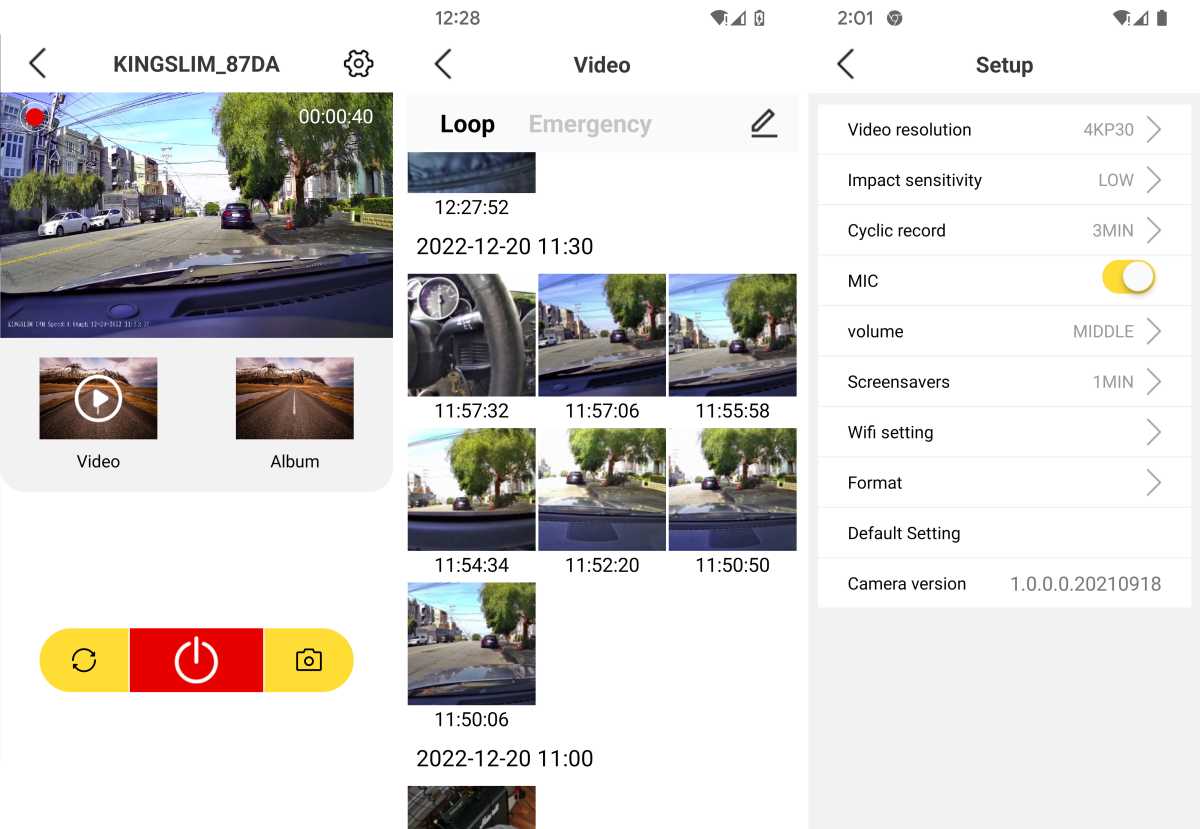
The app above (combining 3 screenshots) allows you to offload video from your camera and tweak various settings. However, not all settings are taken into account. Most notably GPS. Also, I thought that if I press the record button on the app, it would be recorded directly to the main unit, but it seems that it was recorded to the SD card.
Other features include parking mode and a 280mAh battery that runs for almost 3 minutes when AC is removed.
Kingslim D4: Installation
Choosing a dash camera combo that includes a backup camera will require a more complex installation. For the backup function to work properly, the backup camera must be mounted above the license plate using the supplied screws or adhesive pads. Cable routing is more of an issue than the internal rearview camera.
You can usually run the wire through the license plate light housing, but you’ll need to run it all the way to the main camera and connect a second red wire to the backup light. Power via the red cable (when in reverse) tells the main camera to go into backup mode. It’s not rocket science, but finding the best cable path takes time and patience.
If you want to install the rear view camera inside as a simple rear view camera, you need to stick it on the rear window using the included adhesive pads. It can also be screwed to the rear deck, but the mount must be removed and rotated 180 degrees to prevent the video from being upside down.
This is all standard for rearview cameras. Before buying a D4, make sure it’s what you want.
Kingslim D4: Capture Performance
It’s not often you see a better front camera in low light conditions, but the D4 does. Nighttime captures with no headlights or oncoming traffic were the best of the fairly mediocre lot.
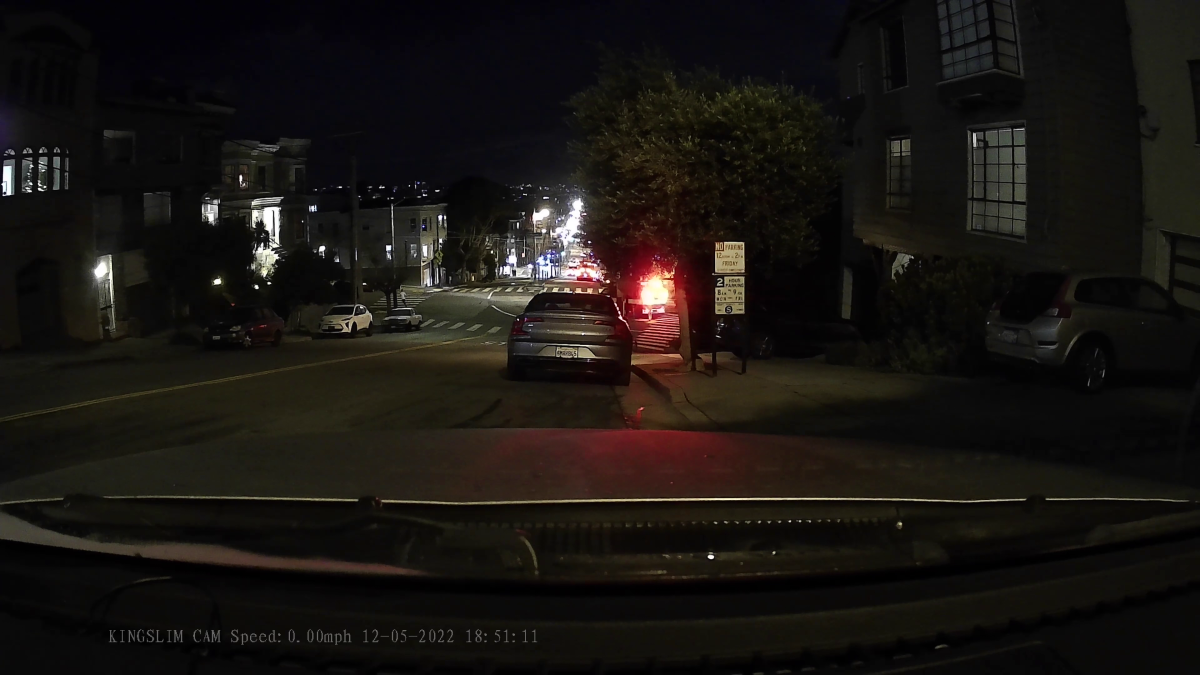
Not so much during the day, or at night when headlights are involved. Daytime captures are surprisingly lacking in detail (as you can see on the signs), and details at night when the headlights are turned on (an act that generally improves captures significantly) escaped the image.
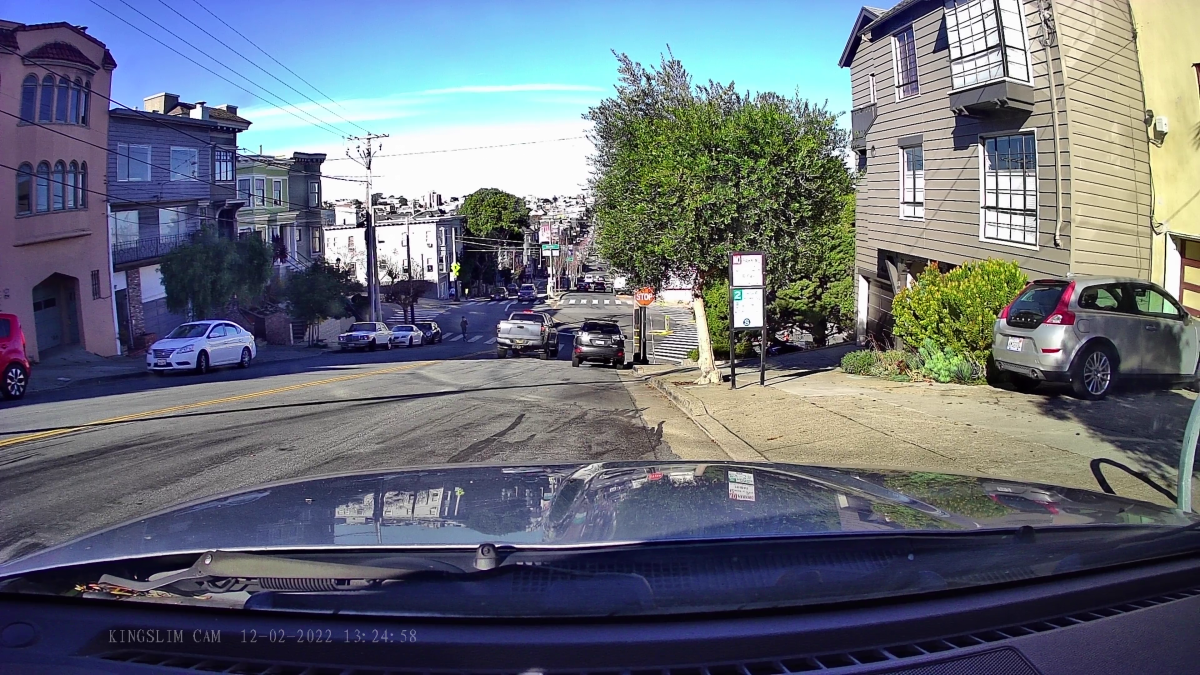
The image above is very poor at 4K UHD, proving that processing is just as important as hardware and resolution. The sensor is a Sony EXMOR IMX335, which can provide much better results than this.
I can see that the D4 struggles to handle bright areas, but I haven’t found any white level or exposure settings to remedy the problem.
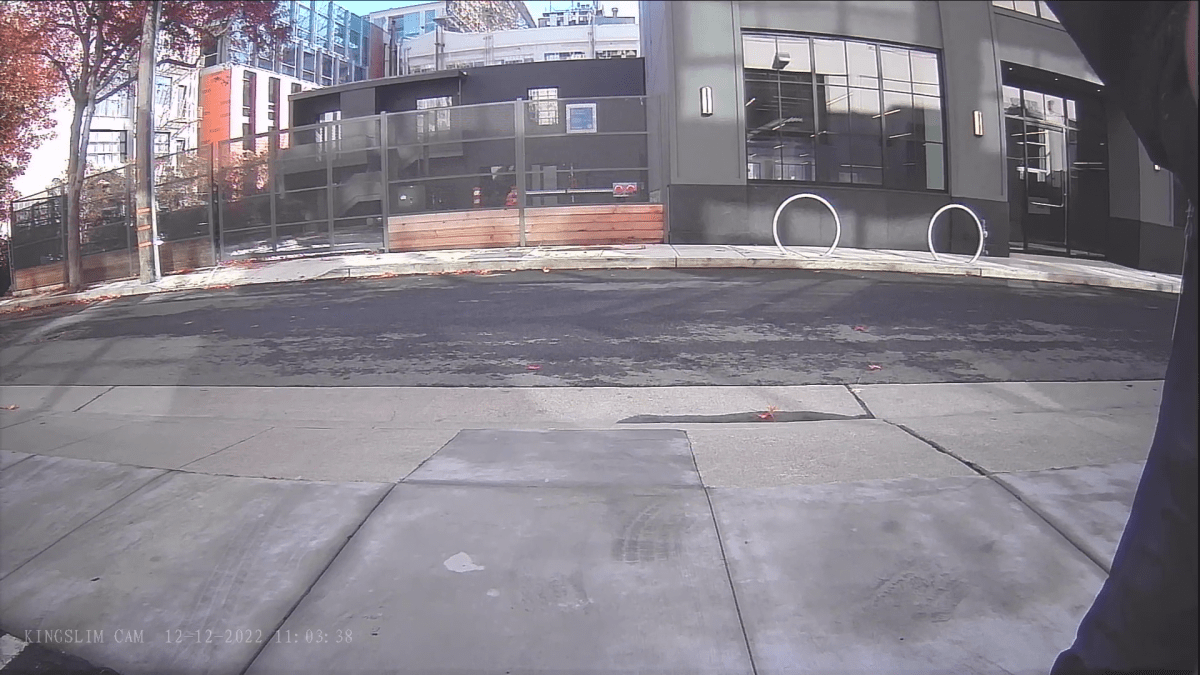
Daytime rear shot with the camera placed above the license plate. Sorry for disturbing the person on the right. As you can see, the view is a bit fisheye, despite the field of view of only 120 degrees.
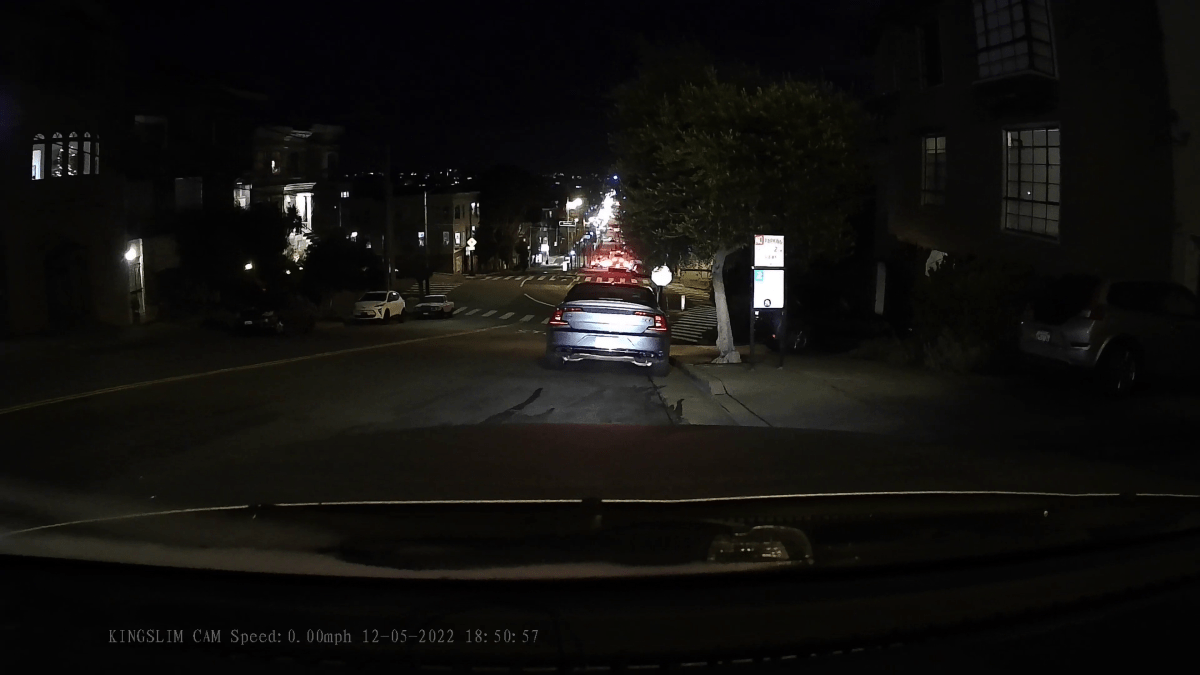
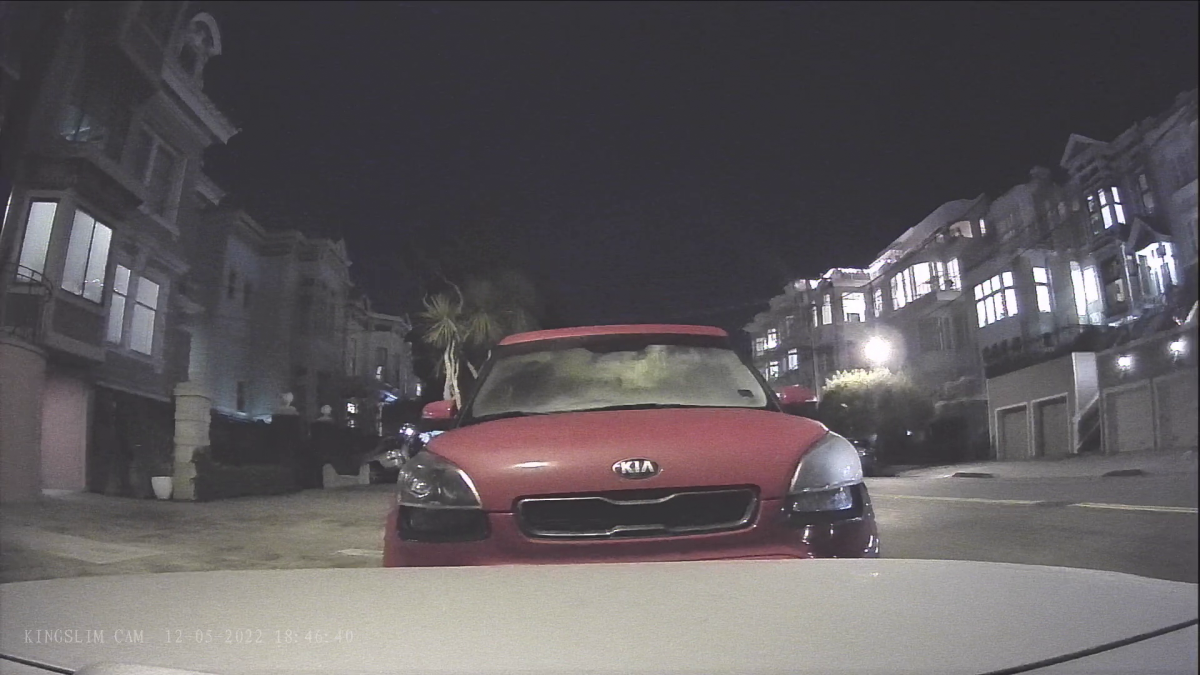
The rear night capture is blurred to the point that it looks otherworldly. Good luck reading the number on the license plate. All visible bright areas are amplified far beyond what the naked eye actually sees. It might be good for monitoring, but I don’t know the details.
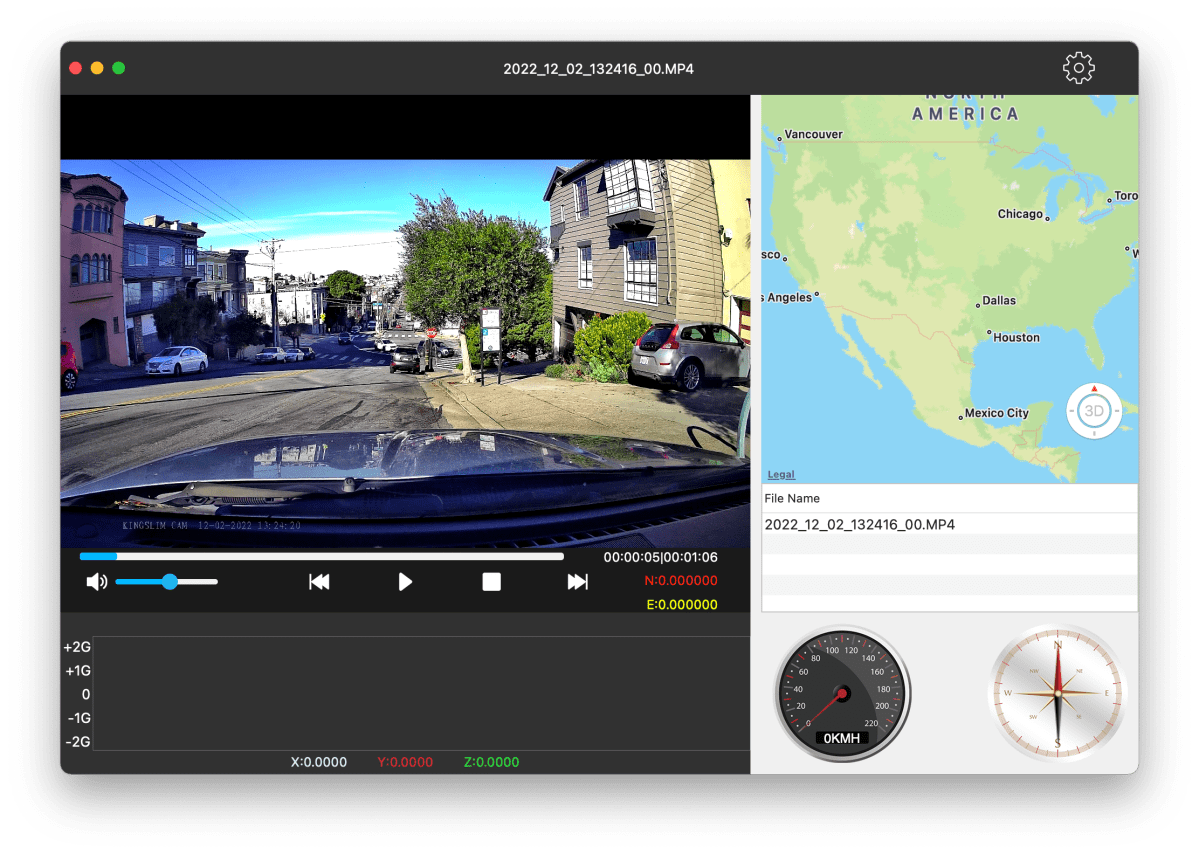
The GPS worked and showed a strong signal, but took a long time to initialize. Unfortunately, embedding into the video also failed, as you can see in the screencap below. Or the app couldn’t read it. Note the g-sensor grid below the main image.
Given the 4K UHD/1080p resolution and high-end touch display, I expected much better capture results from the D4. As I said earlier, you can’t always judge a product based on specs alone. The lack of embedded GPS was also annoying and didn’t affect my overall rating. It may be fixed in the near future, but for now it’s still an issue.
Needless to say, there were many other minor glitches that affected my overall opinion that the D4 is a product that could use tweaks and TLC.
Should I buy Kingslim D4?
Sadly, despite a comprehensive list of features and capabilities, including a touch screen and an attractive low price, the D4 is not recommended. Even if the GPS is properly embedded and displayed, the quality of the capture is unsatisfactory. Spend a little more money and be happier in the long run.
