











After promising the ability to easily bookmark tweets, Twitter is now rolling it out on iOS. The new design shows a bookmark button below the expanded Tweet view. Adding posts to bookmarks becomes easier.
Before today’s change, you had to tap the share button to open the share card, then tap the bookmark option to save the Tweet. In addition to the new button, a banner will appear at the top of the screen that says “Show All Bookmarks” as soon as you tap the button.
This option is currently only visible in the iOS app, but Twitter plans to roll it out to Android and the web soon.
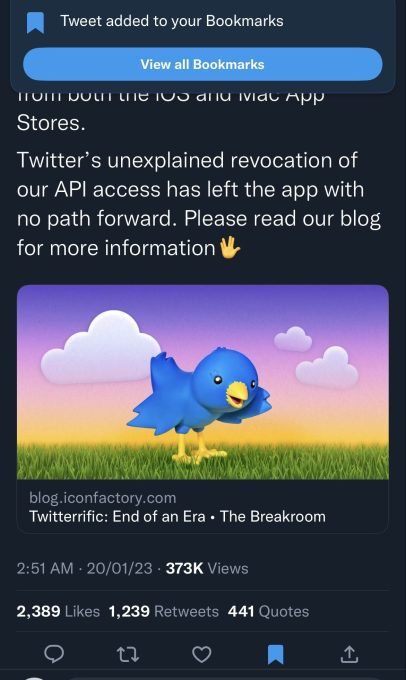
Image credit: twitter
Earlier this month, Elon Musk promised: From the bookmark button to the tweet details screenIt is now finally being rolled out to end users. Many people use the “Like” button as a bookmark feature. This was only because it was a hassle to save and retrieve tweets as bookmarks. However, this new button placement might change things up a bit.
Especially if you have a Twitter Blue subscription (now available on Android), you can use the Bookmark Folders feature for better organization.
Along with this, Twitter has also updated its Android app to display the two timeline options side by side in two separate tabs. The company first introduced a default “For You” timeline and a chronological “Following” timeline to iOS last week.
We then brought this view to the web as well. At that time, Twitter remembered my timeline selection even when I closed the tab. For example, if you closed Twitter with “Following” selected and then opened it in a new tab, the “Following” timeline appeared as the default feed. However, the company now appears to have made a change so that when you refresh the page or open Twitter in a new tab, the “For You” feed appears by default.
Meanwhile, last night, the company changed their API terms, effectively killing third-party clients. As a result, well-known apps such as Twitterrific have started pulling their apps out of the app stores.
