











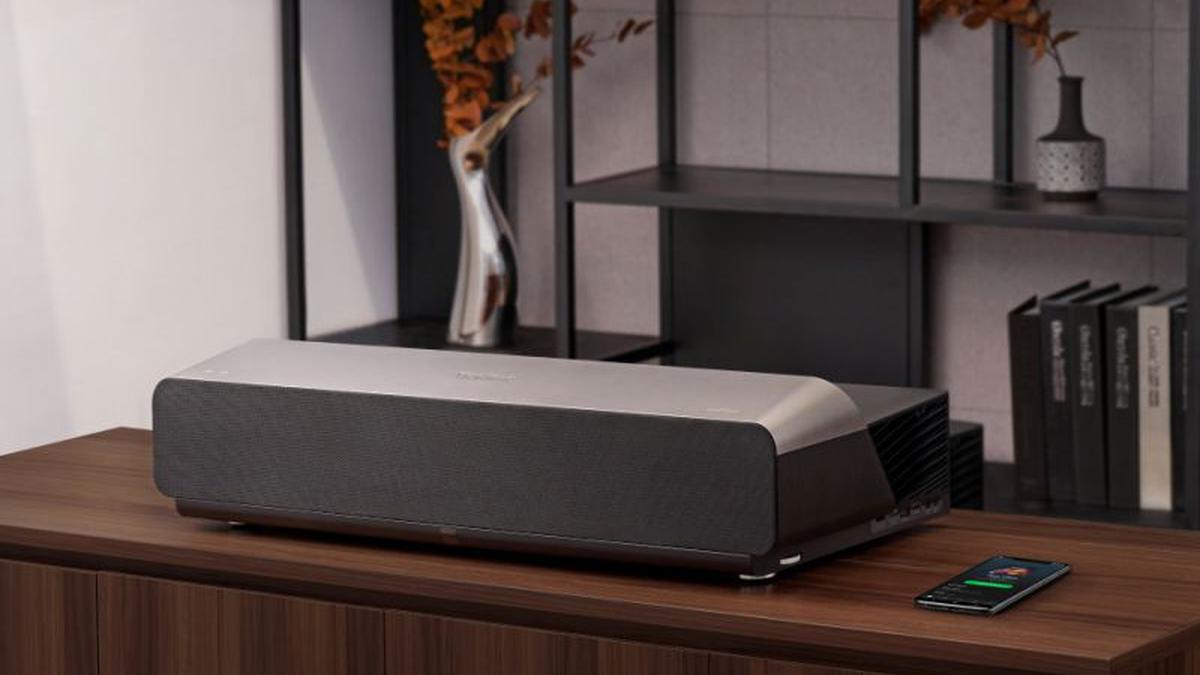
ViewSonic X1000 4K Projector Review | Photo Credit: Special Arrangement
When it comes to home entertainment, a projector is usually not your first choice. People prefer TV instead. That perception is changing as some consumers increasingly turn to devices that allow him to use one of his walls in his home as a display screen.
ViewSonic’s X-Series X1000 4K is one of those projectors that can turn your living room, or master bedroom if you prefer, into a mini theater. This unit takes your home entertainment experience to a new level. Boasting 4K UHD visuals and an ultra-short throw ratio of 0.25, it projects a 100-inch image from just 38 cm away. In other words, simply remove your TV from your tabletop and replace it with this unit for a theatrical movie experience.
A measurement card included in the box will help you position the projector at the proper distance to get the best throw ratio. Getting a blur-free image is pretty easy as you can manually adjust the zoom using the joystick-like buttons on the remote control to make any changes you want. For some people this may not be ideal as they prefer digital zoom.
This projector is elegant, modern and minimal. A metallic paint finish gives it a clean finish, while the soundbar’s dark grille mesh perfectly complements the frame. Overall, the unit can give the living room a lift. It doubles as a soundbar when not in use. The 40W Harman Kardon soundbar is the perfect room speaker. If you want a little more sound, you have the option of connecting a subwoofer to the soundbar.
specification
- Resolution: 3840×2160 (4K)
- Luminance: 2400 (LED Lumens)
- Light source type: lead
- Lifetime in normal mode: Up to 30,000 hours
- Throw ratio: 0.25
- storage: 16GB total (12GB free space)
- input: HDMI: 3; USB Type C: 1 (5V/2A); Audio Input (3.5mm): 1; USB Type A: 3 (USB3.0 Reader x1, USB2.0 Reader x1, Wifi Dongle x1)
- speaker: 20W cube x 2
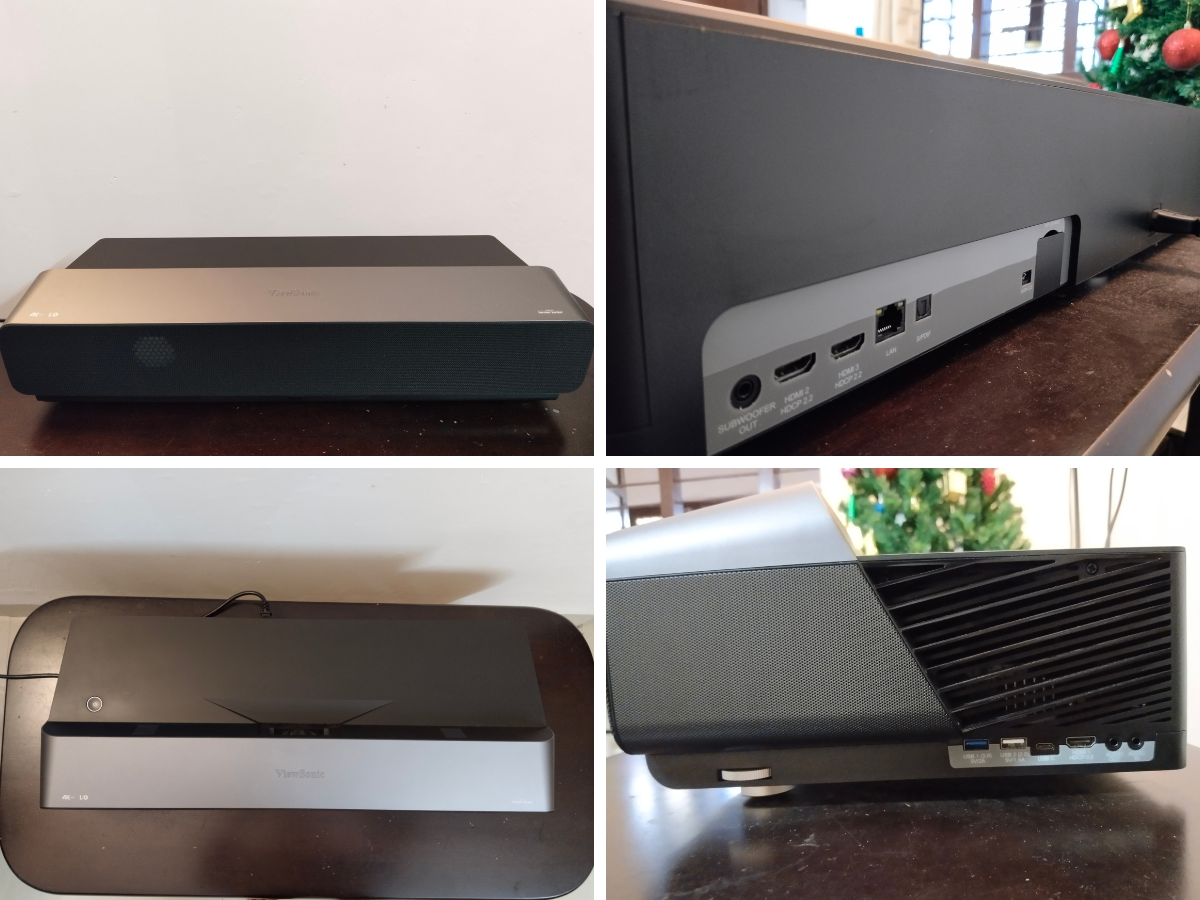
Clockwise from top left: Front view shows 40 W Harman Kardon soundbar. The rear view reveals HDMI, audio jacks, and a dongle slot. Side view shows USB slot and height adjuster. The top view shows a minimalist design with only power on and off buttons.Photo credit: John Xavier
Setting up the projector is easy. It comes with a power cord, remote control and a dongle to connect to the internet. There are three types of cords, and you can choose the cord that matches the switchboard in your living room. When connected, the power button glows soft red. A quick push of the button turns it green and within seconds the ViewSonic logo hits the wall against a white background.
The projector boots up within 30 seconds and presents 6 options, including the option to access files stored locally. Yes, it comes with 16 GB of storage space and you can use his open source Kodi software or built-in apps to project videos. I tried some videos and the output was good. But controlling the seek function was a pain.
Once powered up, the device must be connected to the WiFi internet in the same home in order to cast from the phone. That’s where the dongle comes in. There is a neatly designed dongle slot on the back of the projector, right next to the power cord entry slot. It has a cover to close when you plug it in. After the connection is established, you can use the dongle to cast videos stored on your phone or the YouTube app. But PrimeVideo and the Netflix app just didn’t work for me.
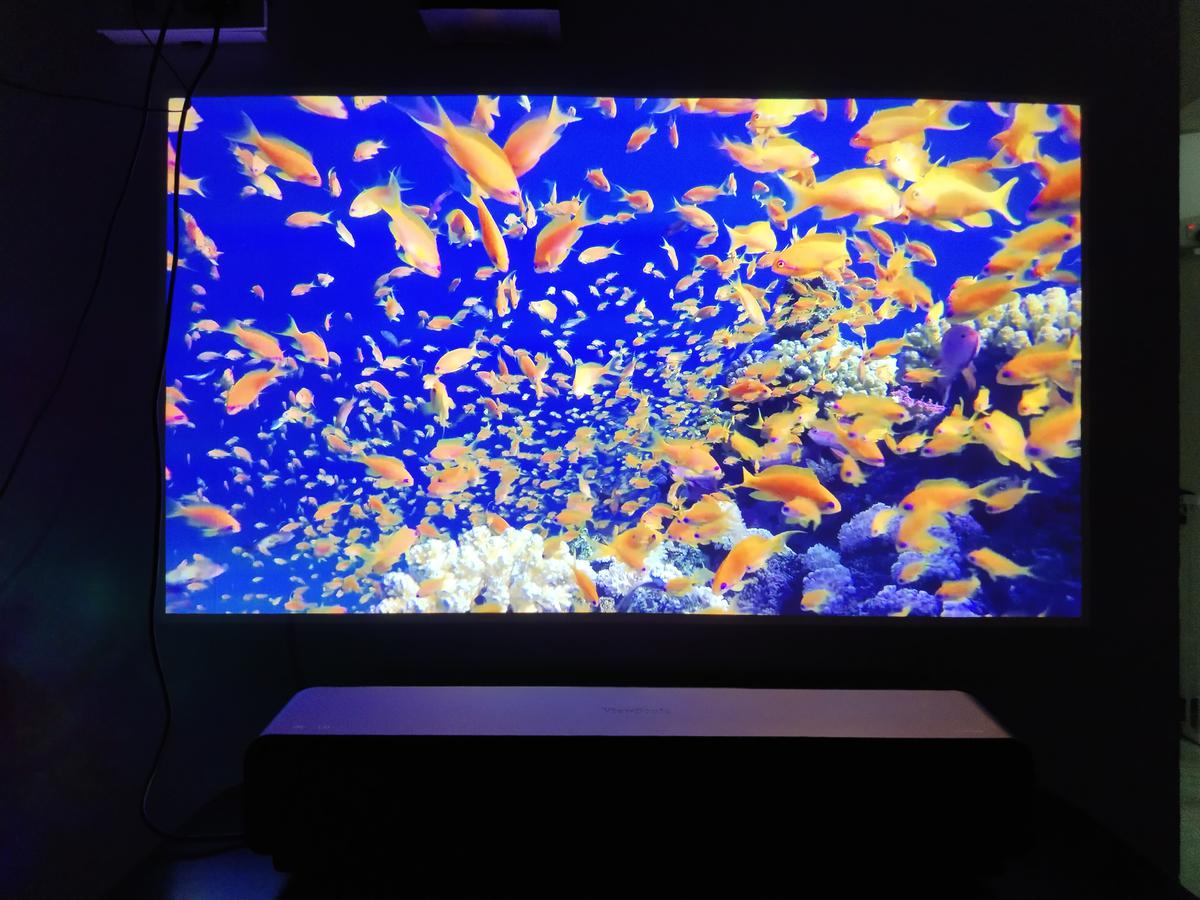
Underwater 4K image cast from YouTube using the dongle included with the ViewSonic X1000 4K projector | Photo credit: John Xavier
ViewSonic has a built-in app center for downloading streaming apps. It runs on Android where you can install APKs. You can install multiple apps in the Aptoide store. But the interface was terrible for me. I didn’t use the downloaded Amazon Prime Video app. The lack of streaming bandwidth prevented the projector from providing a good quality output. A firestick might have helped, but I didn’t have one to test the quality.
I hooked up my laptop to a projector and played movies from almost every popular streaming app. I projected most of my movies onto a white wall. And even when the movie was projected onto a pale pink wall, the image quality was outstanding. Had I cast to a projector screen, the output would have definitely been much better.

Image of a 4K video projected from a ViewSonic X1000 4K projector | Photo credit: John Xavier
The images were lifelike while casting 4K resolution deep sea footage. The High Dynamic Range (HDR) feature worked brilliantly by enhancing hidden details. The dynamic black feature revealed some dark spots when watching war sequences and low-light footage. does an excellent job of reproducing the The projector is priced at his Rs 4,50,000 and was launched early last year.
verdict
The ViewSonic X1000 4K project is a strong candidate for a potential replacement for your living room giant TV set. The life of the product as measured by the light source is 30,000 hours. This is quite the time for avid moviegoers. The only thing this device lacks is an ecosystem of smart apps. But if you ignore the smart factor, this device could be an elegant-looking TV alternative that takes up very little space in your living room.
