











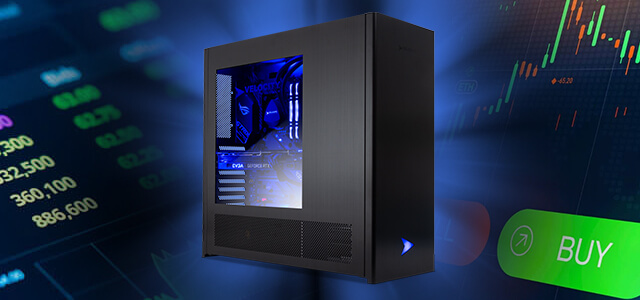
The prospect of building workstations for financial, trading, or other high-demand office applications can be overwhelming. What components should I focus on to maximize value/performance? How should it be configured differently than a traditional gaming PC or content creation workstation? Here’s a quick guide is.

financial workstation
Most financial applications (think Excel spreadsheets, Quickbooks, Quicken, etc.) are not particularly hardware intensive. But that doesn’t mean component choice isn’t important. Quite the opposite! A carefully selected set of components not only gives you the performance you need to be productive, but also the stability you need to get the job done. Here we recommend focusing on them in the following order:
- processor – Think of the processor (aka CPU) as the brain of your PC, handling all standard computational tasks. Generally speaking, faster processors (higher GHz) match the performance of faster workstations. For the most part, core count is irrelevant for all but the heaviest multitaskers, since most financial applications are primarily single-threaded and access only one core/thread at a time.
Recommended CPU – Intel Core i5-12600k, Intel Core i5-12400, AMD Ryzen 5600G
- memory – System memory (also known as RAM) is where the system stores short-term information for quick access. Applications use RAM when they are open, so it’s important to have enough RAM to handle your level of multitasking and prevent sluggishness.
Recommended RAM – 16GB DDR4-3200 for regular users, 32GB for power users
- hard drive – Applications and files are stored on your hard drive. Capacity is the obvious spec that most people are familiar with, but storage speed is just as important these days. The faster the drive, the faster your PC can launch applications and open files.
recommended hard drive – Crucial P2 NVMe SSD, Samsung 980 Pro
- CPU cooling – Cooling is often neglected, especially on big brand PCs, but it should never be done. Demanding applications tax the processor and the by-product is heat. Adequate heat dissipation from your processor is essential for the long-term stability and longevity of your PC.
Recommended cooler – Arctic Cooling Freezer, AIO liquid cooler

Day trading workstation
Workstations for day traders follow the same basic set of requirements, but with some additions/changes to maximize productivity. Specifically:
- graphics card – Trading doesn’t require the ultra-fast video processing of a gaming PC, but it’s important to choose a discrete graphics card that supports the number of monitors you’re running. Most traders think that 4 displays are enough for him, but for more he will need 2 cards.
Recommended graphics card – NVIDIA Quadro T1000 (supports 4 displays)
- processor – The number of CPU cores used to be of little relevance for standard financial workstations, but is a much more important specification when used for trading. This is because the heavy multitasking of most trading workflows can be optimized and accelerated by a 6-8 core processor. Core speed should not be neglected either. Fractions of a second often make the difference between winning or losing a trade.
Recommended processor – Intel Core i7-12700k, AMD Ryzen 9 5900X
All users have different needs, budget constraints, and requirements. That’s why we build every PC to order, just as we did when we started in 1997. Feel free to reach out to our team for configuration questions or support. we are here to help!

Josh has been with Velocity Micro since 2007, holding various marketing, PR, and sales-related roles. As Director of Sales & Marketing, he is responsible for all direct and retail sales and marketing activities. He enjoys reruns of Seinfeld, Atlanta He Braves, John, Paul, or Beatles songs written by George. I’m sorry, apple.
