











In our field lab we have the recently released Lenovo ThinkPad x13s. “s” stands for snapdragon! Marketed as “smartphone experience, PC performance”, the x13s utilizes a 3.00 GHz Snapdragon 8cx Gen 3, a massive 49.5 Whr battery, and an optional built-in 5G modem connection and touchscreen. The x13s packs a lot of features into a small package and I’m looking forward to testing it all in and out of the lab.
In our field lab we have the recently released Lenovo ThinkPad x13s. “s” stands for snapdragon! Marketed as “smartphone experience, PC performance”, the x13s utilizes a 3.00 GHz Snapdragon 8cx Gen 3, a massive 49.5 Whr battery, and an optional built-in 5G modem connection and touchscreen. The x13s packs a lot of features into a small package and I’m looking forward to testing it all in and out of the lab.
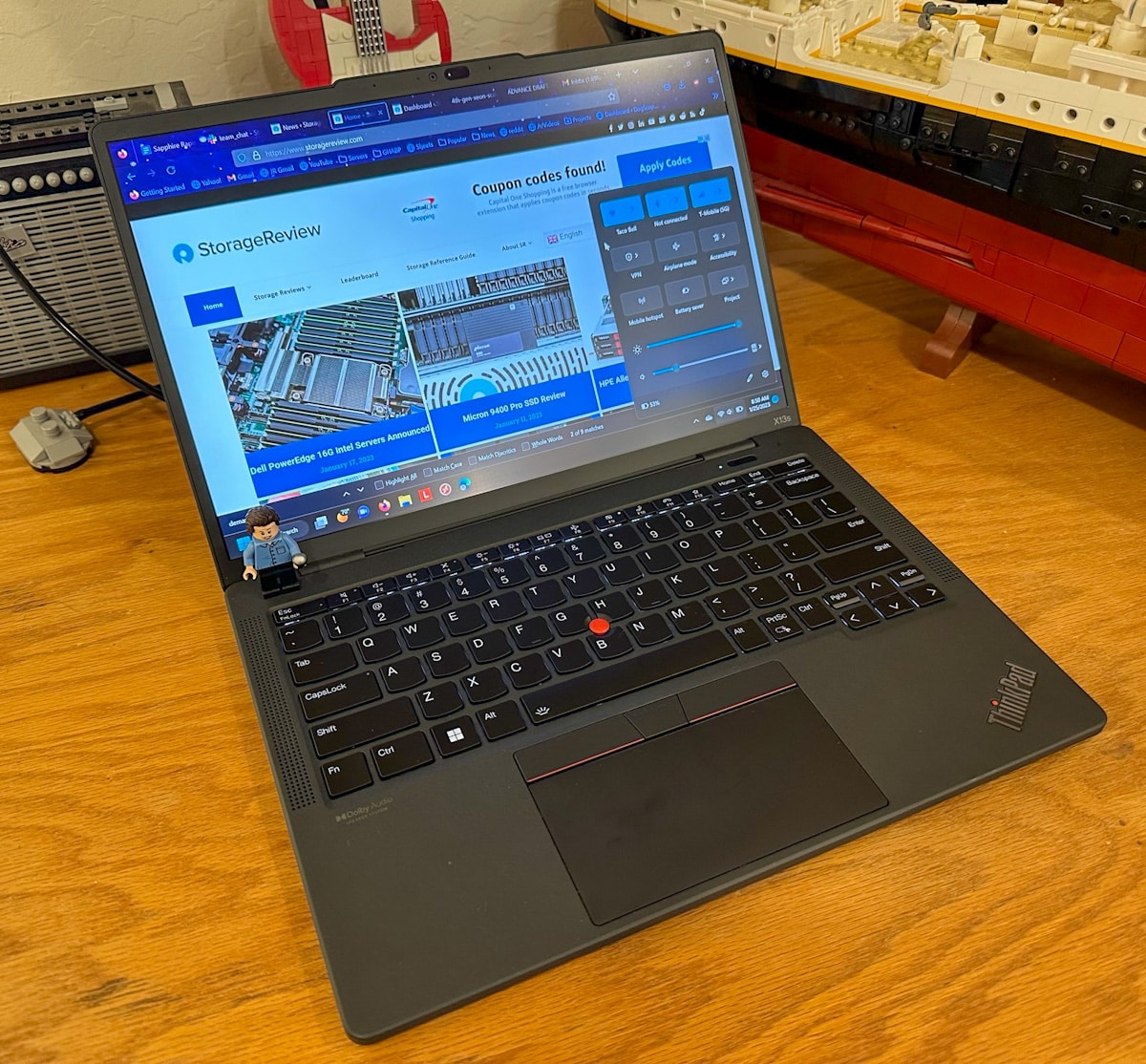
Lenovo ThinkPad X13s
It’s a tablet, but no
The easiest way to conceptualize the x13s is as a laptop form factor tablet running a full install of Windows 11 compiled for ARM processors. The x13s has a low-power SOC, a touch screen, a fingerprint reader, and facial recognition with Windows Hello, all with a hefty battery.
The screen, a 13.3-inch WUXGA (1920 x 1200) IPS, anti-glare, 300-nit touchscreen, rivals everyday productivity use, looks great in bright sunlight, and looks great indoors. However, it only has 72% NTSC coverage, so it’s not recommended for creative work other than slide show presentations.
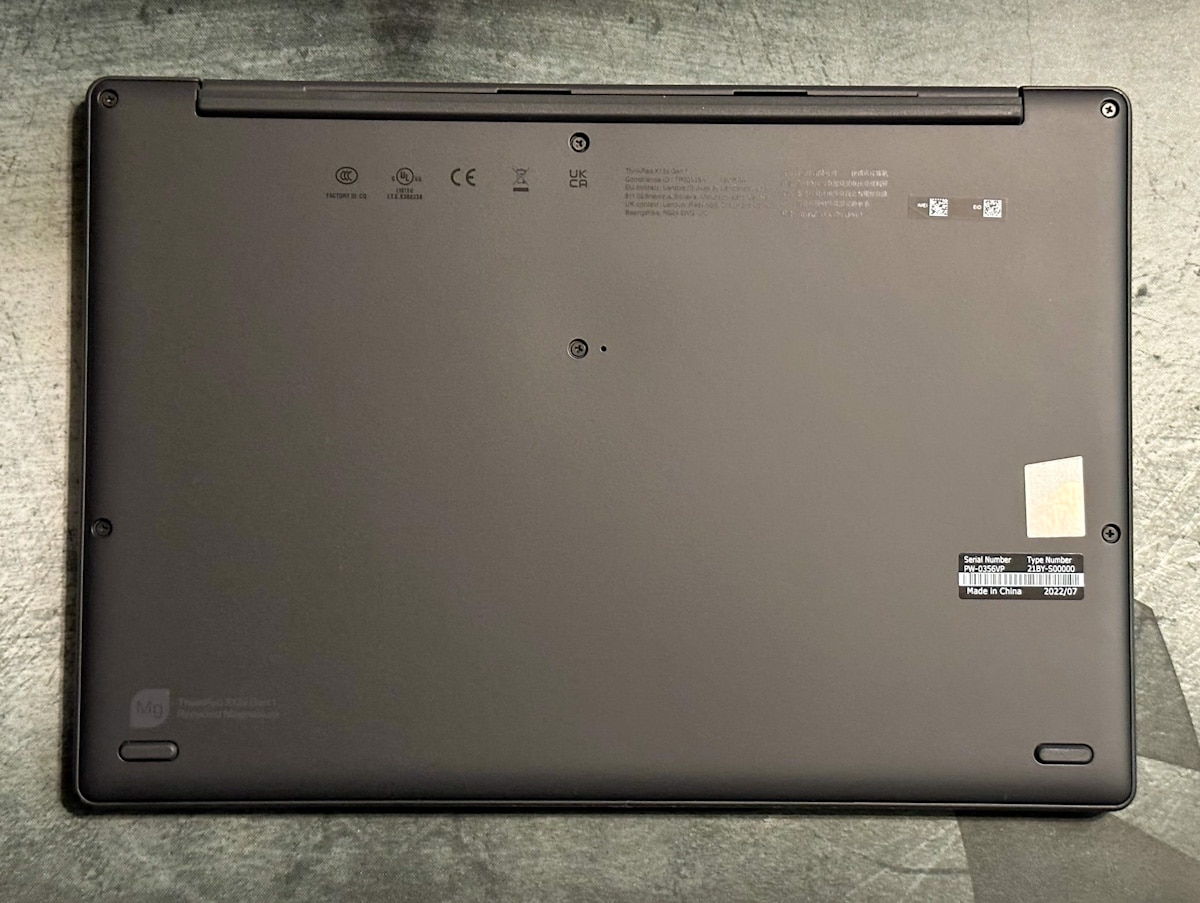
Lenovo ThinkPad X13s Bottom Case
Thanks to the Snapdragon SOC’s 5nm node 7 Watt TDP, the battery life is noticeably better than other laptops and can match the battery life of the M1 MacBook Pro for office/productivity type workloads. The M1 is also an ARM-based CPU, but is considered a completely separate class and will be ignored for the rest of the review.
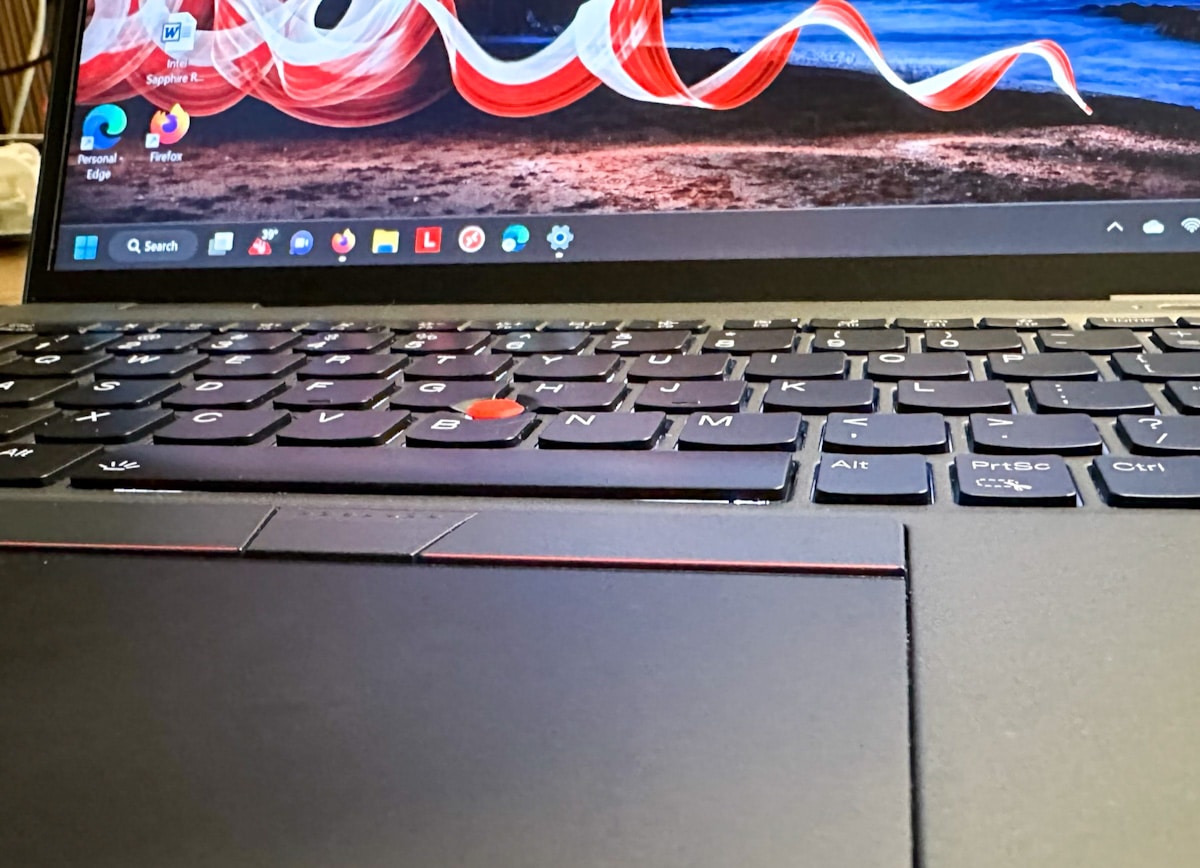
Lenovo ThinkPad X13s Keyboard/Touchpad
Windows 11 for ARM is an interesting experience, to say the least. Office, Edge, and more run natively on ARM and are blazingly fast and efficient. However, some other apps, especially Chrome (probably more reasons than switching to Firefox entirely with native ARM compilation), have an invisible emulation layer that allows you to run x86 applications on ARM. You have to use it, but it comes at a cost. performance and battery life. With more and more daily tasks moving to browser-based tools, Windows 11 for ARM makes a compelling argument for using low-power SOCs as the primary endpoint.
Lenovo ThinkPad X13s ThinkPad Logo
Lenovo ThinkPad X13s Specifications
- Processor: Qualcomm Snapdragon 8cx Gen 3
- Graphics: Integrated Qualcomm Adreno 690 GPU
- Memory: Up to 32GB LPDDR4x-4266
- Operating System: Windows 11 Pro on ARM
- Display 13.3 inch WUXGA (1920 x 1200) IPS anti-glare 16:10
- 300 nits, 1500:1 contrast, 100% sRGB
- 400 nits, 1500:1 contrast, 100% sRGB, low power, Eyesafe certified
- 300 nits, 1000:1 contrast, 72% NTSC, multi-touch
- Storage: 1 drive, up to 1TB M.2 2242 SSD
- Camera: Up to IR & 5.0MP MIPI with E camera shutter
- WLAN and Bluetooth Qualcomm WCN6855, Wi-Fi 6E, 802.11ax dual band 2×2 Wi-Fi + BT 5.1
- WWAN models only:
- Qualcomm Snapdragon X55 5G Sub-6 GHz & mmWave Modem-RF System, M.2 Card, Embedded
eSIM function - Qualcomm Snapdragon X55 5G Sub-6 GHz Modem-RF system, M.2 card, eSIM built-in
Functionality
- Qualcomm Snapdragon X55 5G Sub-6 GHz & mmWave Modem-RF System, M.2 Card, Embedded
- port
- 2 x USB-C 3.2 Gen 2 (supports data transfer, Power Delivery 3.0 and DisplayPort 1.4a)
- 1 x Headphone/Microphone 3.5mm combo jack
- 1 x Nano-SIM card slot (WWAN model only)
- Audio: 2 x 2W Stereo Speakers, Dolby Audio, Triple Array Far Field Mic
- Keyboard: 6-row, LED-backlit, splash-resistant, multimedia Fn-keys with Unified Communications Control
- Touchpad: 56 x 115mm (2.24 x 4.53”) glass-like Mylar multi-touch touchpad, TrackPointTM pointing device
- Security Discrete Trusted Platform Module (dTPM) 2.0, Kensington Nano security slot, optional touch style
Fingerprint reader on power button, match-on chip, power-on password, supervisor password, system
Admin password, self-healing BIOS, e-camera shutter, Microsoft Pluton security, options
Computer Vision Based User Presence Sensing Including Vacation Lock - Battery: 49.5Wh
- Dimensions: 298.7 x 206.4 x 13.4 mm (11.76 x 8.13 x 0.53 inches)
- Weight: from 1.06 kg (2.35 lbs)
- Material Color: Thunder Black
5G Always Connected
The Lenovo x13s has a dual SIM 5G modem, one physical SIM and one eSIM capable of multiple profiles. It’s not the first time we’ve had this feature, but it’s one that this reviewer is very excited about. it’s different. Our long-term testing has proven to be a split between good and bad implementations.
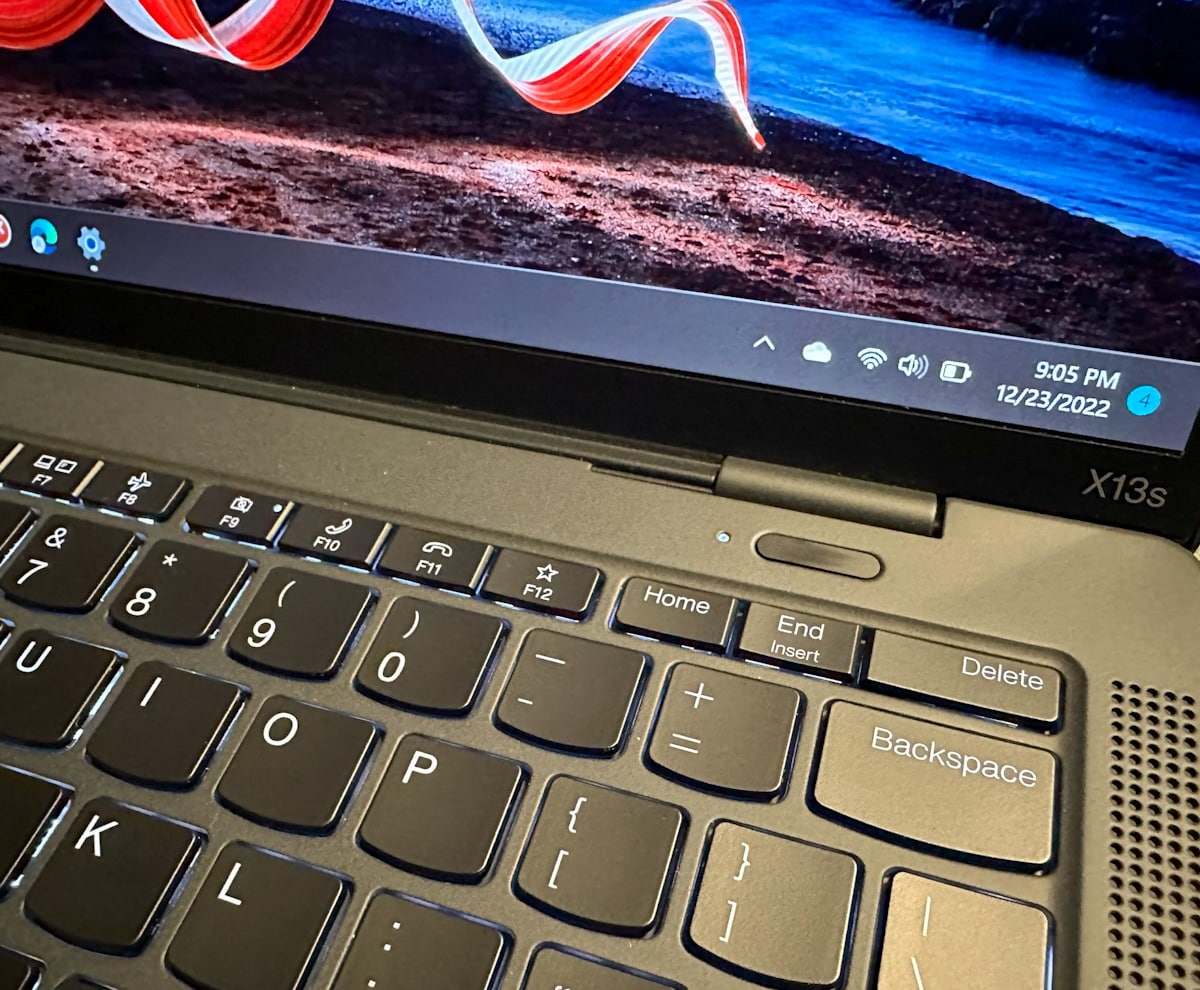
Lenovo ThinkPad X13s Keyboard
In our test, we took the laptop on a cross-country private flight for vacation. I’ve noticed that using Verizon as my provider gives me decent signal quality and speed. Also had to use Verizon multiple times to send some emails and bring his VPN back to the lab for remote admin work.
Better than the small antennas on smartphones and tablets when it comes to picking up signals in rural areas, inside buildings, and even while flying at low altitudes to provide a good connection for updating flight plans or checking weather maps. It has been proven that
multimedia experience
The x13s has two Dolby Audio upward-firing user-facing speakers. They’re passable for video calls, and voice audio is very clear, but they’re severely lacking in low end. Midrange clarity was amazing.
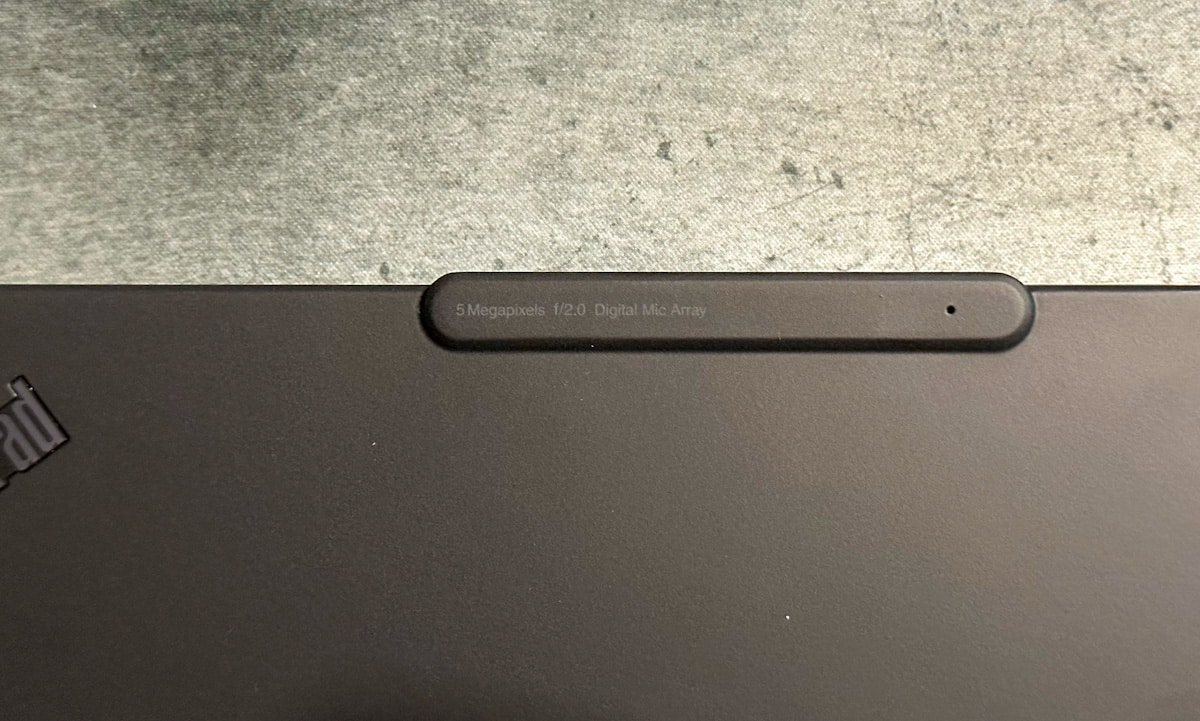
Lenovo ThinkPad X13s Digital Microphone Array
The x13s’ webcam is standard business-class laptop quality, which isn’t surprising, but it’s passable for everyday video calls. We tested and found that our model has an optional “FHD + IR Mobile Industry Processor Interface (MIPI) Webcam with Computer Vision & Webcam Privacy e-Shutter” and we were able to utilize it with Windows Hello. The field of view of the camera is obviously narrow.
Storage performance
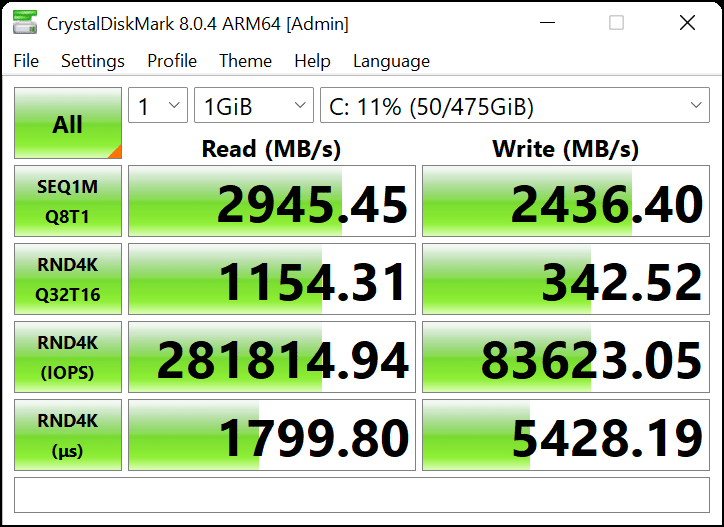
The Lenovo ThinkPad X13s comes with a tiny 40mm 2240 Gen3 NVMe SSD. Our review unit included a 512GB model with a CrystalDiskMark (ARM64) for a quick run. Here we measured sequential 2.9GB/s read and 2.4GB/s write, and 4K random measured 281k IOPS read and almost 84k IOPS write.
Repairability
X13s can replace or upgrade m.2 2240 NVMe SSD on one side only. The RAM and CPU are soldered, but the mainboard is swappable. WiFi and a 5G modem are also on the m.2 socket board and the trackpad can be used under the battery. It’s not hard to get and replace the parts inside the notebook, especially the SSD and battery. I didn’t try to disassemble anything other than the battery and SSD.
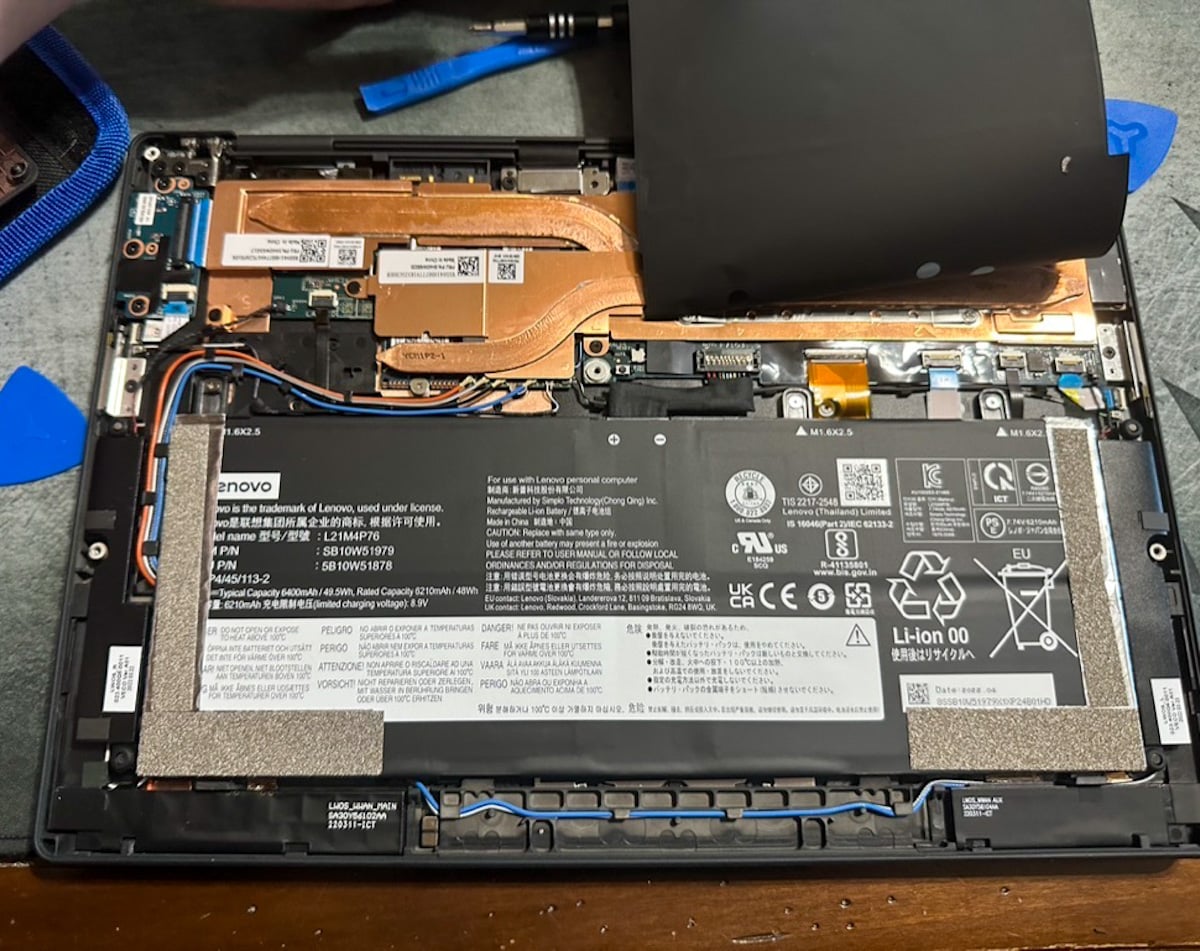
Lenovo ThinkPad X13s cover removed
Impression – Finally
The Lenovo x13s can be summed up very easily for this reviewer. An exciting piece to get here in the field lab. The price is hard to recommend, but if that doesn’t matter, I’d give it an A- for implementation and effectiveness.
This particular sample is high tier and has all the functionality to function as a robust machine. We will continue to use the X13 over the next few months to see if ARM-based laptops live up to the hype over the long term. As of this writing, I’ve switched to driving my Lenovo X13s daily as my go-to machine when leaving the house for the foreseeable future.
The importance of ARM today cannot be overlooked. ARM’s technology drives the development of leading-edge solutions that deliver unprecedented performance and efficiency. As we move forward, the industry will continue to benefit from the low-power, high-performance solutions offered by ARM. Over the next few years, ARM will become an increasingly important factor, empowering an ever-evolving technology landscape and providing the means to achieve more. Lenovo is doing very well with this iteration and we can’t wait to see what happens next as we push this X13 to its limits over the next few months.
Join StorageReview
Newsletter | YouTube | Podcast iTunes/Spotify | Instagram | twitter | | Tik Tok | RSS Feed
