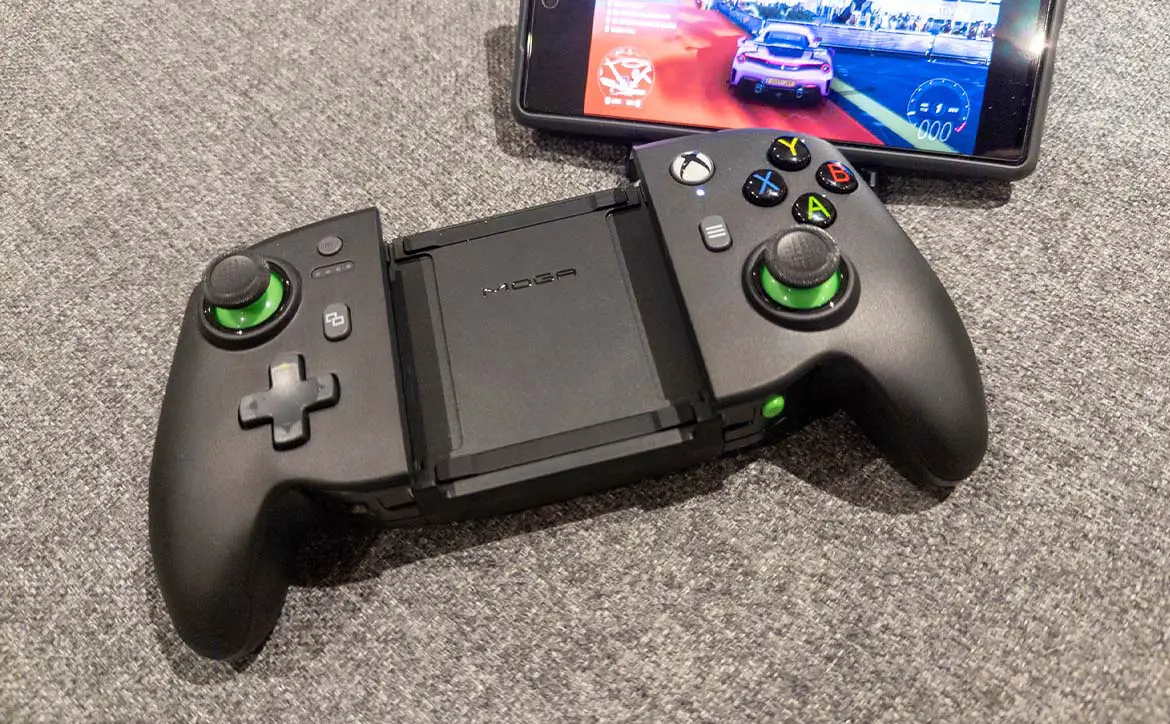
Due to the popularity of mobile games, many game controllers for smartphones are being sold. Most offer very similar functionality, but sometimes come with a little extra.
Estimated reading time: 7 minutes
Our review of the PowerA MOGA XP7-X Plus covers a Bluetooth mobile game controller for Android devices with a wireless charging bank and a handy tabletop stand. Read our full review!
specification
The PowerA MOGA XP7-X Plus Bluetooth Controller for Mobile & Cloud Gaming on Android/PC reviewed has the following features and specifications:
- Mappable Buttons: Quickly program two Advanced Gaming Buttons on-the-fly while gaming. No app required.
- Boost mode: An integrated 2000mAh power bank lets you wirelessly charge compatible devices while you play.
- Two ways to play: Play in immersive handheld mode or use the genius device stand to play tabletop games in seconds
- Mobile and cloud: Top controller-friendly Android titles and games that beat GamePass Ultimate
- Official Xbox License: MOGA XP7-X Plus is licensed for Xbox quality, reliability and performance.
- bluetooth: v4.2
- Easily play cloud games on the go with your Android device or at home on your PC with Windows 10/11
- Connect in Bluetooth wireless or USB wired mode
- Telescoping center fits devices up to 7.13 inches (181.1 mm).
- Play controller-enabled games on Android and Windows 10/11
- Get off the glass and play with the precision of familiar controller inputs
- Not compatible with Xbox consoles. Games shown require Xbox Game Pass Ultimate membership, sold separately. Wired mode is not officially supported or validated by Xbox.
what’s in the box
- PowerA MOGA XP7-X Plus Bluetooth Controller for Mobile & Cloud Gaming on Android/PC
- detachable game stand
- USB-A to Micro USB charging cable
- USB-C/micro USB to micro USB charging cable
- user manual
- 2 year limited warranty

design
There are two types of mobile game controllers. A full-size controller with a phone clip and a “Switch-style” controller that extends by sliding your phone. The PowerA MOGA XP7-X Plus Bluetooth Controller for Mobile & Cloud Gaming on Android/PC (it’s a bite) is a bit of both. It expands and your phone fits between the left and right controller but the controller itself The is slim and more traditional Xbox style as opposed to the Switch style.
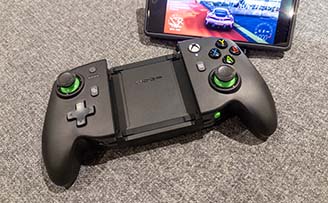
The MOGA XP7-X is similarly large, with left and right halves reminiscent of old-style Xbox 360 controllers. On the left side are the battery level button, view button, directional pad and joystick. On the right are the Xbox button, A/B/Y/X button, menu button, and a second joystick. Between these is a removable tabletop stand that slides easily from above. Once removed, you can pull the two controller halves apart and slide your phone between them. If your phone supports wireless charging, the base your phone rests on will also act as a wireless charging bank. The stand opens to nearly 90°, has grooves on the bottom of the legs for your phone or tablet, and has a rubber band on top in case your phone or tablet is leaning against the back instead of sitting under your upper lip. There is a strip made of
Back to the controllers… The front edge has a USB/BT mode switch on the front left and a program button on the right. The program buttons are for the two mappable “advanced gaming buttons” on the underside of the controller. On the back or top edge of the controller are left and right shoulder buttons and triggers, and a Bluetooth pairing button. Power bank on/off switch, and micro USB charging port.

The MOGA XPy-X Plus mobile game controller is rugged, but because it’s a Bluetooth controller, it fits most phones, even with a phone case attached.
ease of use
Like other Bluetooth controllers, the MOGA XP7-X Plus is extremely easy to use. After charging for the first use, press and hold the Xbox button to power on. Toggle the switch to BT and press and hold the Bluetooth sync button on the back of the controller for 5 seconds to enter pairing mode. When the LED below the Xbox button starts blinking, it’s ready to pair with your phone, tablet, or PC. Once pairing is complete, the LED will stop blinking and stay lit.
Alternatively, you can switch the controller to USB mode and connect it to your laptop or PC using one of the included cables.
Once paired via Bluetooth, remove the detachable gaming stand by sliding it up from the center of the controller, pulling the grips away from each other and sliding your phone in between. When you let go of the grip, your smartphone will be firmly fixed. If you’re not on the go, you can use the stand to prop up your phone or tablet and play like that.
Finally, as mentioned, there are two programmable advanced gaming buttons on the bottom of the controller. Simply press the green program button on the front edge of the controller for 2 seconds and the LED indicator will flash. Once that’s done, press any button, left/right stick, or direction on the directional pad, then press the right or left advanced game button to stop the LED blinking. Repeat the same steps for other buttons.

performance
As far as game controllers go, the MOGA XP7-X Plus Bluetooth Controller offers pretty decent performance. Mostly used with Pixel 7 and Xbox Game Pass for cloud gaming. The buttons are as responsive as you’d expect, but they feel a little softer than before. Additionally, the controller only uses Bluetooth v4.2 which is a bit old. That said, controlling the games I played via cloud gaming worked as expected and I had no issues with controller performance.
battery life
MOGA XP7-X Plus has a built-in 2000mAh battery. It doesn’t sound like much, but it offers pretty decent battery life and I was able to game for a few hours a day in a week or so before I needed to recharge. Using it to charge your phone can quickly kill it. The 2,000mAh battery isn’t that big, and if you’re lucky, it can charge your phone to about 50%. That said, the controller itself runs low on battery while it’s charging your phone.You can plug it in and wirelessly charge your phone at the same time, but it’s a micro-USB connection, so charging is pretty slow. Become.
Speaking of which, once it runs out, it takes forever to charge the controller (at least 8 hours). I ended up just plugging it in overnight when I needed a charge, but if you’re out and about expecting fast charging, you won’t find it here. It would have been nice to have included a slightly larger power bank in the. You can easily tell how much time the battery has left by pressing the power button on the battery and counting the four green lights that are lit (25 for each light). %).
price/value
The PowerA MOGA XP7-X Plus Bluetooth Controller retails for $99.99, in line with most other mobile Bluetooth controllers of this style on the market. However, a wireless charging bank for long games on the go makes it worth a little more.
Photo gallery
Included with PowerA MOGA XP7-X Plus mobile game controller for Android and PC.
PowerA MOGA XP7-X Plus mobile game controller for Android and PC.
Front edge of PowerA MOGA XP7-X Plus mobile game controller for Android and PC.
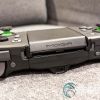
Back or top edge of PowerA MOGA XP7-X Plus mobile game controller for Android and PC.
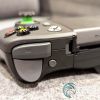
Shoulder buttons and triggers on the top edge of the PowerA MOGA XP7-X Plus mobile game controller for Android and PC.
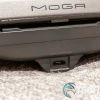
Micro USB charging port on top edge of PowerA MOGA XP7-X Plus mobile game controller for Android and PC.
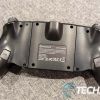
The bottom of the PowerA MOGA XP7-X Plus mobile game controller for Android and PC.
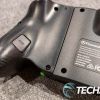
Programmable game buttons on the bottom of the PowerA MOGA XP7-X Plus mobile game controller for Android and PC.
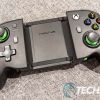
PowerA MOGA XP7-X Plus Mobile Game Controller for Android and PC with game stand removed.
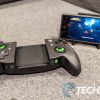
The PowerA MOGA XP7-X Plus mobile game controller for Android and PC attaches your smartphone to a game stand.
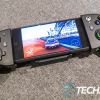
PowerA MOGA XP7-X Plus mobile game controller for Android and PC with smartphones.
wrap up
All in all, the PowerA MOGA XP7-X Plus Bluetooth Controller for Mobile & Cloud Gaming on Android/PC isn’t a bad choice, but a few tweaks could make it a much more attractive purchase. Power banks, USB-C charging, and/or pass-through charging are all great additions. If you’re switching between mobile games on your phone and tablet, the stand is definitely a great addition as it helps extend the functionality and device compatibility of your mobile game controller.
*We use affiliate links to generate revenue and may earn a commission on purchases made using them. All prices mentioned are in US dollars unless otherwise stated and are correct at the time of publication. Please see our disclaimer page for more information.
Last updated: January 28, 2023.
MOGA XP7-X Plus Bluetooth Controller
$99.99

nailed it
- pretty solid design
- Comfortable to use on both smartphone and stand
- decent performance
- wireless power bank for phone charging
- Two mappable buttons at the bottom
- Bluetooth and wired connectivity
need a job
- A little bigger than other mobile controllers
- MicroUSB charging slow
- Small battery for power bank function
- No pass-through charging