












0

0
Read time:6 minutes 58 seconds
today PC Building Simulator 2, comes to us from Spiral House and is published by Epic Games. Released in October 2022, it is the follow-up to 2017’s PC Building Simulator.
Available on PC from the Epic Game Store for £19.99/$24.99 and requires up to 26GB of storage.
It’s like Lego, but for adults!
Now let’s ignore the fact that many adults (myself included) enjoy LEGO. Building PCs is kind of my hobby, and “Lego for adults” is the descriptor I go to when people ask me if it’s complicated. I’ve advised many people how to build his PC, and PC Building Simulator is one he highly recommends to anyone wanting to understand the basics of building a PC.
It was a pretty accurate depiction, so it was a useful tool for understanding the basics. Minus the finicky, messy, curse-word-inducing part, of course. It was fun and much more relaxing than building a PC. PC Building Simulator 2 Take what made its predecessor great and add to it. This is a worthy follow-up and overclocks the fun (sorry) with some nice new features.
gameplay
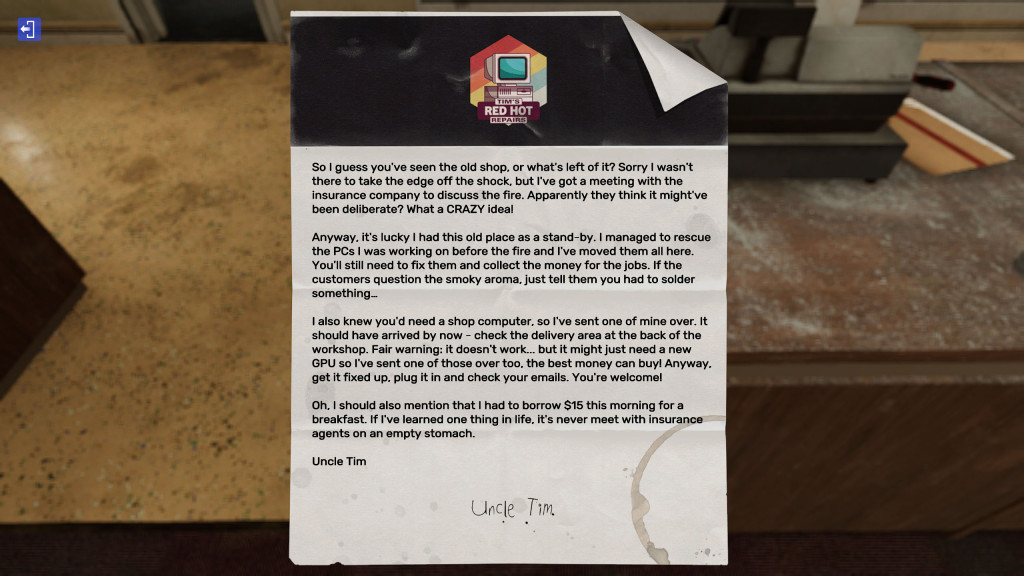
It has two modes. Career mode and free build. In Career Mode, you run a computer repair shop for Uncle Tim, who is definitely not a scammer. Start with a small amount of money taking on the work you receive in your inbox. From cleaning viruses, to water cooling your graphics card, to building your client’s new girlfriend’s PC, you’ll have to get to work. Some jobs are more fun than others, but that’s true in the real world and it’s not the game’s fault. It was the position of the progress box in between.
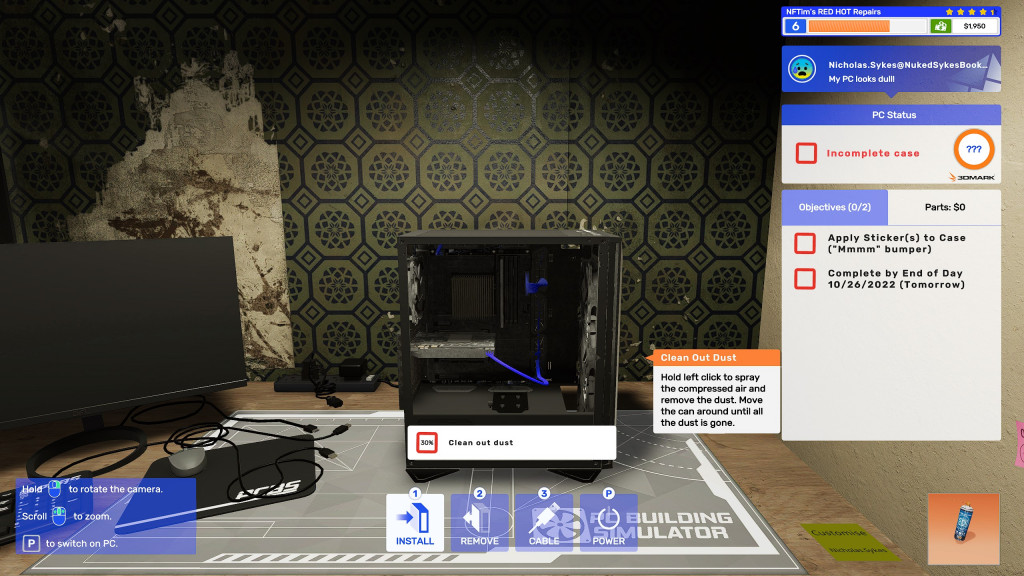
The game’s tutorial walks you through new tasks step by step. I think I should be able to play these tutorials for those who need a little refresher.
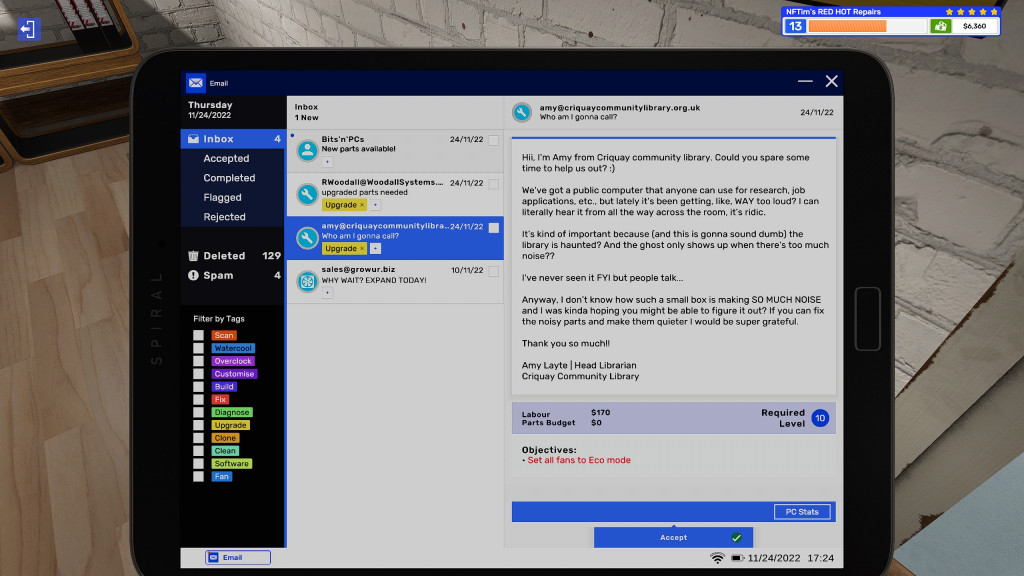
It also has a better quality of life than the first game. The ability to tag store-bought parts to jobs and a tablet for checking emails and using the store to save back to your PC are two of his standouts that I really appreciate It was an added feature.
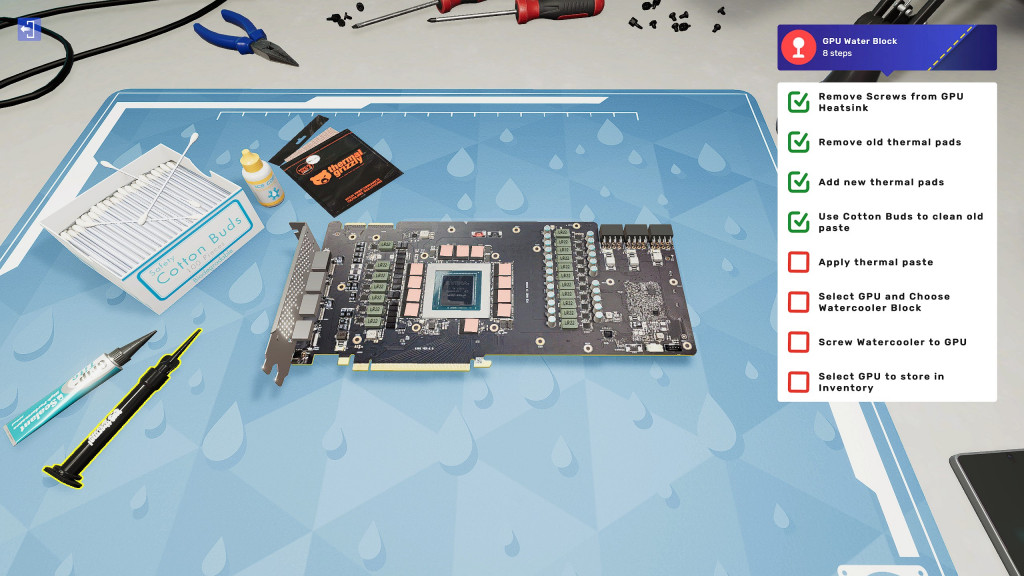
As I mentioned earlier, I accept work by email. Explain what your client needs, but you should read your emails carefully for two reasons. First, there are hidden tasks, which increase the rating when completed. Better grades equal more work. Second, email can be great. From sometimes eccentric characters to sometimes terrible dad jokes, I loved it.
Make your PC truly personal
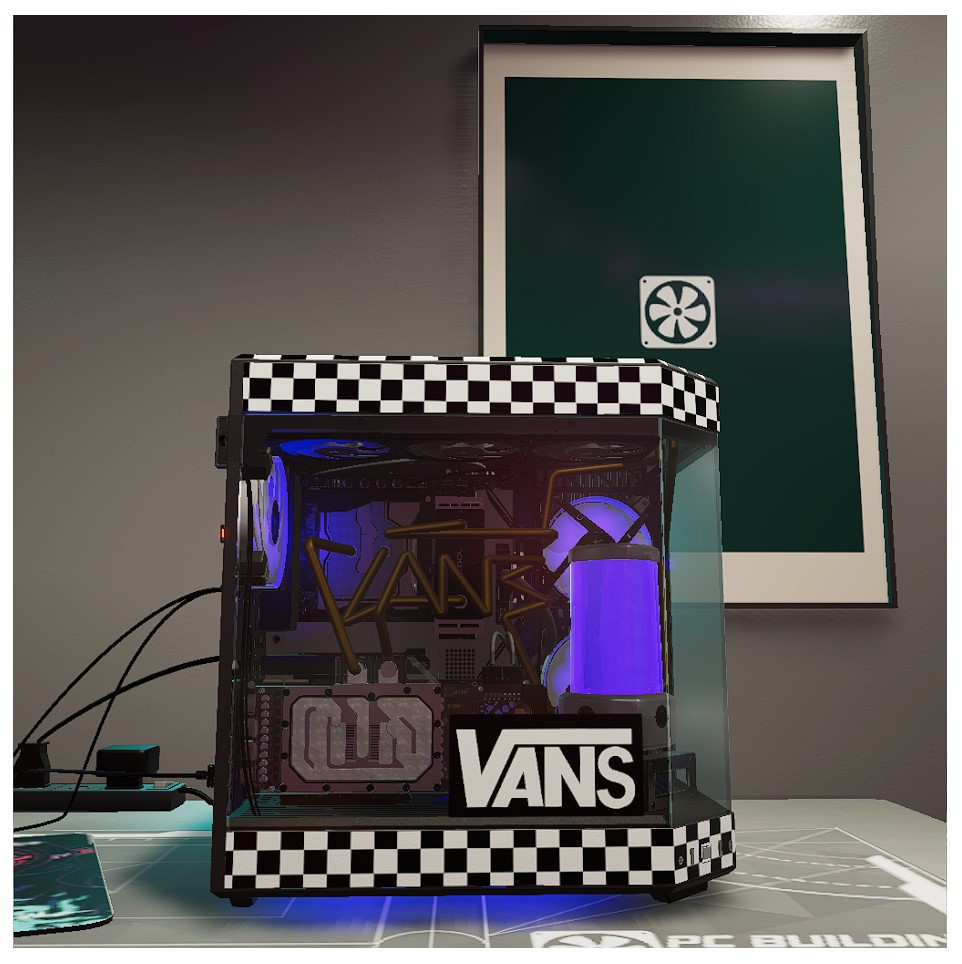
One of my favorite new features PC Building Simulator 2 Customizing the case. You can now paint your case, vinyl wrap your case with a theme of your choice, and add stickers. It was a great touch and I had way too much joy while sending back the scariest design to a client that technically met the requirements. Did you? I had to be more specific about the shade of green I wanted.
Customization is a lot of fun. My only real complaint is that it just doesn’t have enough form. Just a little more than what’s out there. If it had more shapes and was more tweaked in terms of rotation, scaling, etc… I could only imagine some of the designs people could come up with.
Money, money, money, money yeah yeah!
In addition to repairing, customizing, upgrading and building PCs for our clients, we also have access to a storefront. Here you can sell broken PCs that you bought online and repaired.This is where you make the most of your money PC Building Simulator 2After a few days in-game I went from about 5,000 to 20,000. Overclocking your PC, customizing your case and RGB, giving your PC a name, adding water cooling, and more can add hundreds of dollars to the price at which you can sell your machine.
It’s a worthy investment, but to be honest, it’s a feature I stopped using after making quite a few wedges. After all, you don’t actually lose money in this game. Money can only be spent either on his PC or on powerups. Powerups are definitely worth buying, but once you get them, you get them. Only 6 come in at 2,000 each. But boy does it help with some of the more drab parts.
Don’t dream of RGBreams
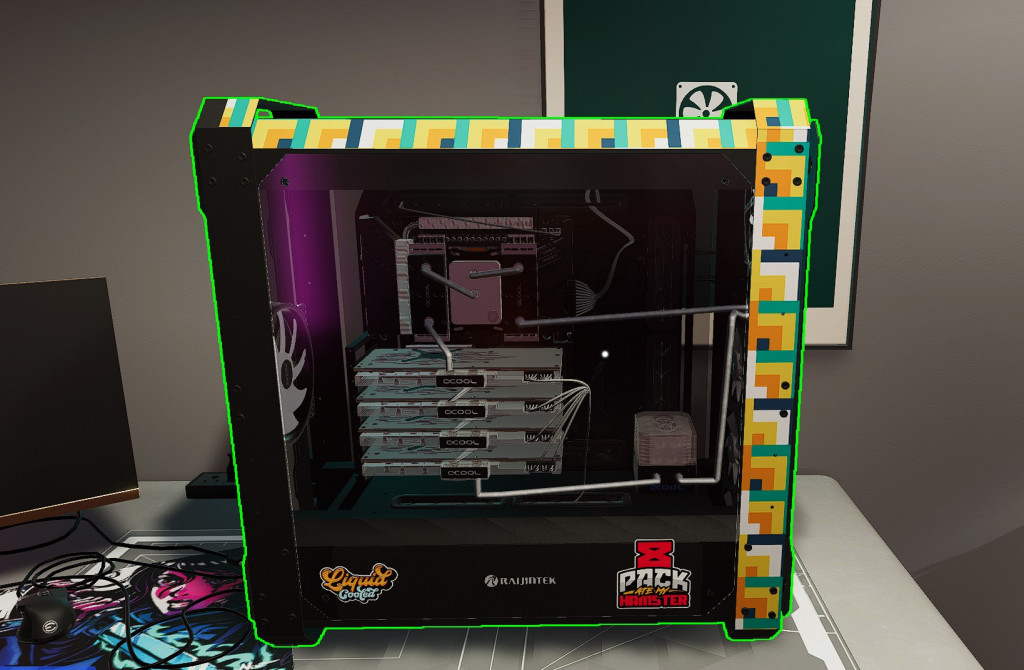
As with its predecessor, the second mode is PC Building Simulator 2 Offer is free build mode. This is where you can get really wild. Build what you want. Want to build a liquid-cooled Threadripper PC with 4 Radeon VIIs, 128GB of memory and liquid cooling tubes shaped like the AMD logo? Go for it! Want to pair your Ryzen 5600X with his one of Intel’s new ARC graphics cards?The world is your oyster.
No goals like career mode PC Building Simulator 2, a little rest from an aspiring YouTuber asking to water-cool the RAM and put a 💯 sticker on the case. Go crazy and build your dream PC with real-world parts from industry leaders Intel, AMD, Nvidia, Asus and many more. If the parts match PC Building Simulator 2 Let me build it for you.
graphics and audio
PC Building Simulator 2 It’s a great looking game. Sure, there are games out there that look better, but they don’t use modern ray-traced shadows and lighting. But as a result, it’s not overly demanding and should look good on most systems. Listen, what’s that sound effect when you plug in a cable or unscrew a PCI cover? It fits perfectly and makes everything more satisfying. But it took 3 minutes to mute the music. Royalty-free pop punk did nothing for me. Open Spotify instead.
longevity
The story ends at level 30. Once completed, random jobs will continue to occur. I hope the team will continue to provide free updates just like the original and add new components as their real counterparts are released. PC Building Simulator 2 May be the game you sink many time to. I know I revisited the original from time to time when I wanted to relax.
final thoughts
PC Building Simulator 2 A worthy successor. It retains the satisfying and often cathartic gameplay of the original while adding fun new features and some helpful quality-of-life improvements. New tires will make your ride smoother. for that reason, PC Building Simulator 2 Awarded 80+ Gold Rating.

Disclaimer: I received a code to write this review.

YouTube | Facebook | twitter | | Instagram | Cacophony | Podcast

