











The ability to serve people of all ages has made the iPad a versatile tool with many use cases. Whether it’s gaming, consuming media, studying, or working, there’s probably a way to complete an activity on your iPad. However, this list of activities continues to grow.
As more apps and software updates are introduced to iPad, the accessories you need to get the most out of your tablet will continue to evolve. So here’s a list of standard products that can help transform your iPad experience.
apple pencil

Starting on this list is the Apple Pencil. This accessory is considered mandatory. Especially for students who are creatively inclined or trying to keep their notes mobile. It’s also useful when dealing with a lot of documents that require signatures.
Currently, the experience when used on glass is not a perfect imitation of writing on paper, but features like pressure sensitivity make things feel more natural. Additionally, there is almost no latency for each stroke. Whether it’s the first or second generation, working seamlessly with iPad opens up a world of features that only enhance your experience.

Apple Pencil (2nd generation)
Apple Pencil (2nd generation) has an improved design and grip. It offers a cleaner look, additional functionality (touch-sensitive surface), and easier storage. Accuracy, tilt, and palm rejection features maintain the standards set by its predecessor, and battery life remains adequate for long-term use.
Anker 541 USB-C Hub

The Anker 541 USB-C Hub is an inexpensive way to extend your iPad’s versatility. There are six different ports: USB-C, USB-A, HDMI, micro SD, SD, and a headphone jack, all of which help connect the iPad to lots of external hardware.
Different iPad models have different resolutions relayed through the HDMI port. Still, the Anker 541 USB-C Hub can output up to 4K 60 FPS, which is a better standard than many other accessories. His USB-C port on this hub also supports USB-PD (up to 60W input) and data transfer speeds of 5 Gbps. If you use DaVinci Resolve (or other apps) to edit your videos on your iPad, the included headphone jack also makes it easy to pair and use headphones.

Anker 541 USB-C Hub
The Anker 541 USB-C Hub offers a simple and versatile way to connect multiple accessories to your device. Expand a single USB-C port to work with a variety of hardware such as displays, storage, and audio devices. It also comes in two different finishes, silver and space gray.
Samsung T7 Portable SSD

The growth of cloud storage services has certainly reduced the amount of storage hardware we need in our daily lives. However, hardware-based storage solutions play a vital role in the lives of many professionals who need to transfer or process gigabytes of data in the form of images, videos, or other files. , has not lost its importance.
Suppose you plan to run your iPad in that environment. If so, the Samsung T7 SSD is one of the best accessories to help you deal with the limited internal storage available on your tablet. The USB-C port supports the USB 3.2 Gen 2 standard, delivering data transfer speeds of up to 10 Gbps. Cables are also included in the box, eliminating a common bottleneck point as incorrect cables affect transfer speeds.
The USB-C to USB-C cable that Apple includes in the iPad’s retail packaging supports the USB 2.0 standard, which limits transfer speeds to 480 Mbps.

Samsung T7
Samsung’s T7 SSD is a great tool for storing large amounts of data, offering read and write speeds of up to 10 Gbps. Its compact design and large storage capacity make it a must-have, especially if your workflow involves large files like photos, videos, and more.
DOCKCASE Short USB-C Cable

In case you lose your favorite cable with your iPad or need an extra cable, the DOCKCASE Short USB-C Cable is an inexpensive accessory that does what you need. Its length, flat design, and support for the USB 3.1 Gen 2 standard are key selling points.
The USB standard allows fast file transfers (~10Gbps) to and from your iPad. If you have a power bank at hand, you can also transfer power up to 100W.

DOCKCASE Short USB-C Cable
The DOCKCASE Short USB-C Cable is a handy accessory to purchase if you need a compact, flat cable. Supports USB 3.1 Gen 2 standard, delivering up to 100W power transfer, 4K video relay and 10 Gbps data transfer rate.
Logitech MX Mechanical Wireless

When choosing a keyboard to work with your iPad, most of your decisions can be influenced based on your personal preferences. A nice addition to the keyboard is the Logitech MX Mechanical.
On the more expensive side, its keys offer a nice tactile feel and enough battery life to last at least two weeks before needing to recharge your accessories. A tenkeyless design is also available, with various haptic feedback options to choose from at the time of purchase.
If you’re looking for a cheaper option, we recommend choosing a different named brand, such as the Logitech K380 or the OMOTON Slim Bluetooth Keyboard.

Logitech MX Mechanical
The Logitech MX Mechanical is a fun accessory that combines the reliability and charm of mechanical switches. This wireless keyboard has multiple configurations, allowing users to choose from different levels of tactile and key settings. Battery life is 15 days or up to 10 months. The latter applies if you turn off the key backlight.
Logitech M720 Triathlon Wireless Mouse

When it comes to productivity-related accessories, Logitech has a wide selection and tackles different price points. Among that list of products, the Logitech M720 Triathlon Wireless Mouse is an inexpensive option and offers many of the features we’ve seen in the MX Master lineup.
It can be paired with an iPad via Bluetooth or the included dongle. And if you want to use it on another computer, you can seamlessly switch it back to your iPad with the push of a button. We’ve repeatedly seen Logitech hardware do this efficiently without issue.

Logitech M720 Triathlon
The M720 Triathlon is an option worth paying for if you want to switch between multiple devices and keep your budget under control. Logitech’s Easy-Switch Technology allows this accessory to connect to his three devices and switch between them with the push of a button. It also has a battery life of 24 months powered by AA batteries. Connect via an Unifying receiver and change controls with Logitech Options software.
ELECJET Apollo Ultra A10X Power Bank

Next up is the ELECJET Apollo Ultra A10X, a compact 10,000mAh power bank. At about 5 inches long, the accessory isn’t bigger than an iPhone, but it can power your MacBook, iPad, iPhone, or any other accessory you use with them. The ability to output 65W of power at any time and charge within 30 minutes is a key element of this experience.
Speaking of other benefits, there’s a display on the front showing how much charge is available, and two ports, USB-C and USB-A. USB-C can output 65W, while USB-A can manage a whopping 18W. The latter can also be used while the power bank is charging.
This fast-charging system and versatility make it the perfect companion when you want to use your iPad on the go or on particularly busy days when battery life is short.

Electjet Apollo Ultra
ELECJET Apollo Ultra is a 10,000 mAh power bank with 65W output, perfect for users who want to power various devices. The OEM claims it can charge from 0 to 100% in about 30 minutes. It has USB-C and USB-A ports. The latter can also be used while the power bank is charging.
game controller

For many people, the iPad replaces their work computer, but it’s also a great way to pass the time with games. Via a remote connection to a console or via titles available on Apple Arcade. Most titles today support touch-based input, but some are better with a controller Therefore, we recommend choosing between the Xbox Series X/S controller or the PlayStation DualSense. They are natively supported by iPadOS and map to many titles without bugs.
-
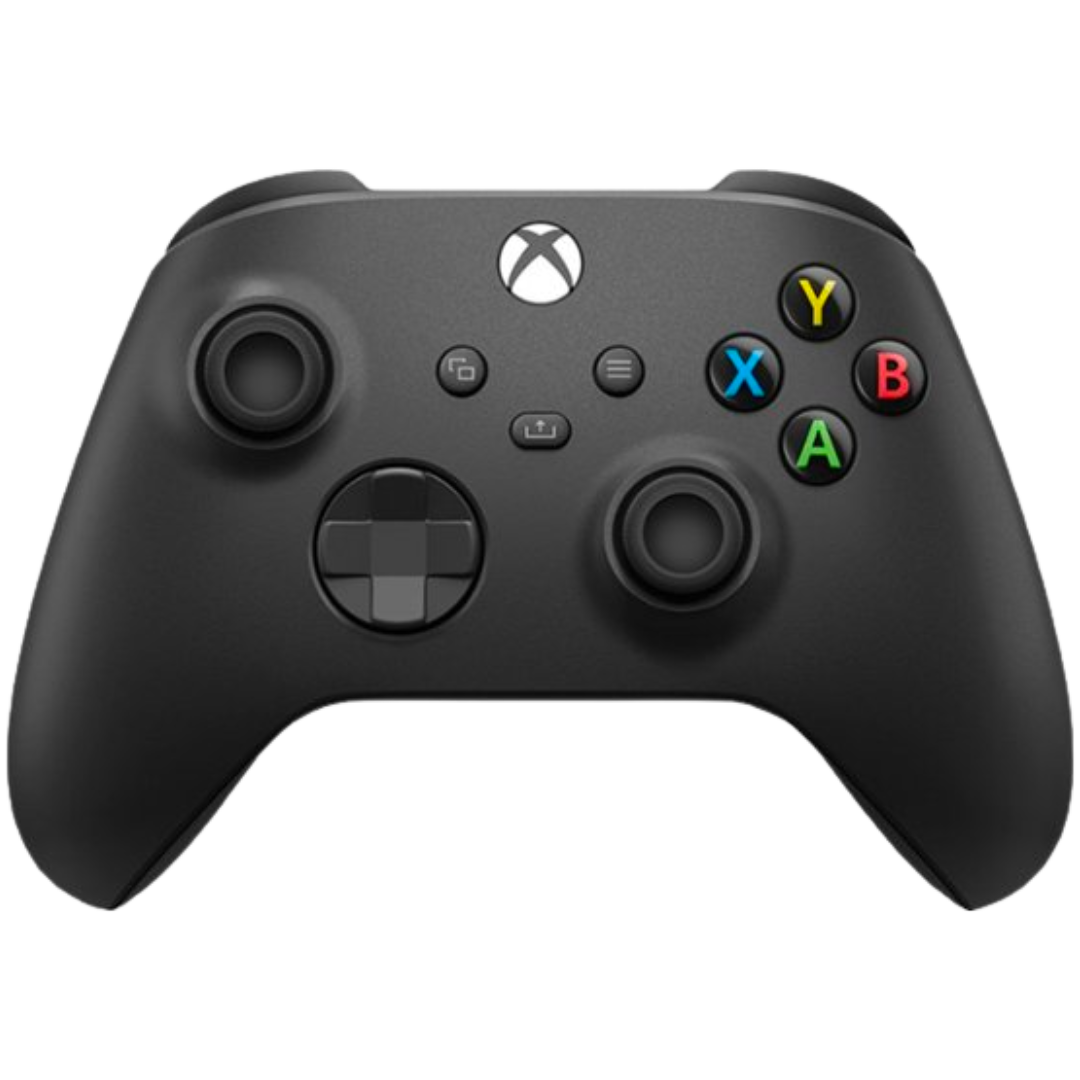
Microsoft Xbox Series X|S Wireless Controller
The Xbox Series X and S controllers feature refined geometry for ergonomic feel and comfort during gameplay. It has a battery rated for 40 hours, a hybrid directional pad, and textured grips on triggers and bumpers.
-
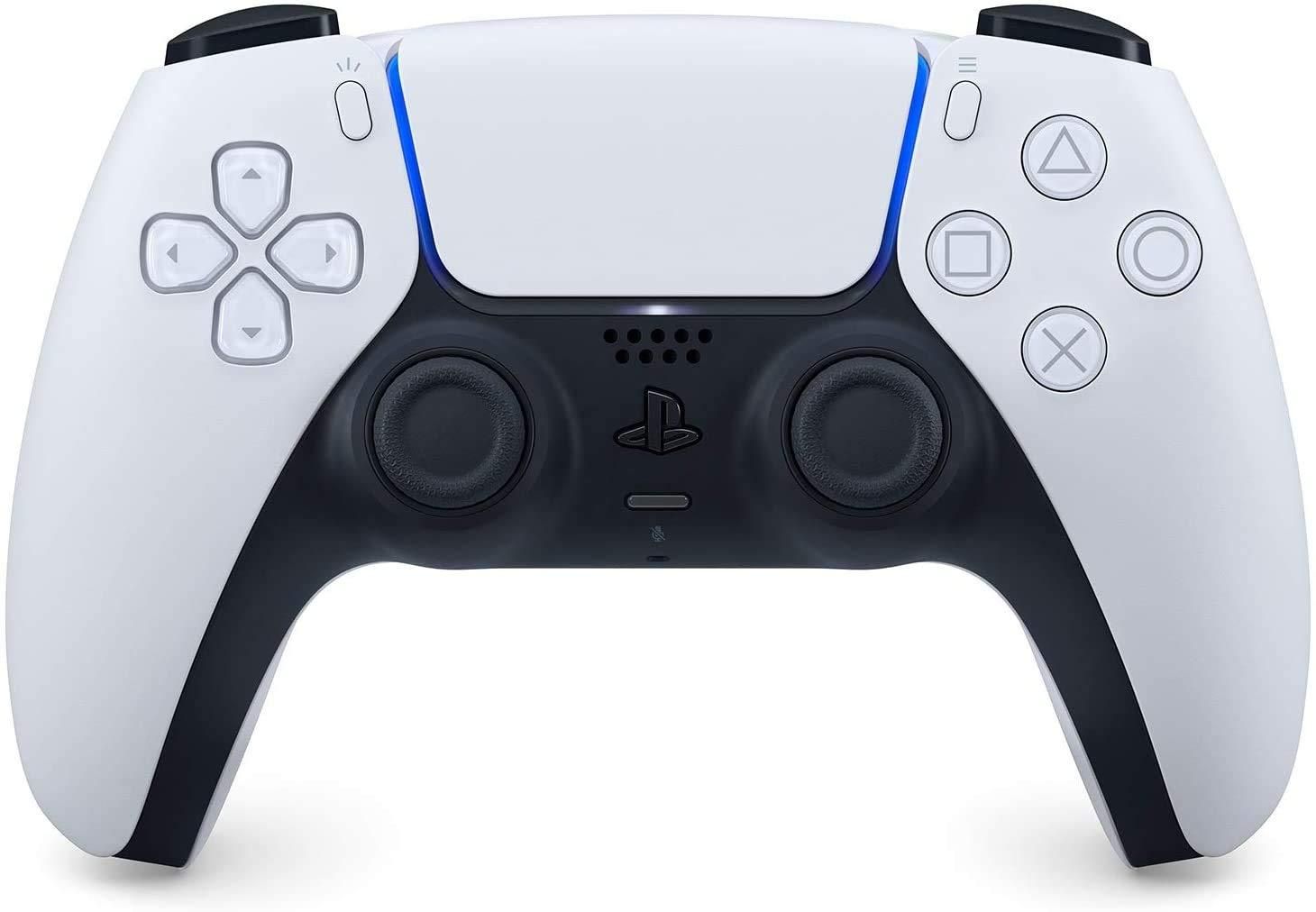
PlayStation 5 DualSense Wireless Controller
The default PlayStation 5 DualSense wireless controller seamlessly connects to your favorite devices, including smart TVs, streaming devices, and more. It features haptic feedback, adaptive triggers, a built-in microphone, and an ergonomic feel.


suitable ipad case

When it comes to iPads, the case you use has a huge impact on how you use your tablet. When looking for the best case for his iPad, he comes across three options: folio, rugged, and keyboard. The types of functionality provided by these accessories are detailed below.
- Folio iPad case: Folio cases often have an origami-like folding front flap that helps support the iPad in two ways. One is great for watching content and the other makes drawing and writing easier.
- Rugged iPad case: These cases help protect your iPad from harmful impacts. Many come with bumpers that protect all edges, and some even offer a kickstand to help prop up your iPad. The disadvantage of using these covers is the added weight.
- keyboard case: Finally, there’s the keyboard case. These accessories won’t always protect your tablet, but they’re worth considering if you plan to use your iPad for work-related tasks.
