











An at-home karaoke experience built into your iPhone, iPad, and Apple TV. Here’s how to use it:
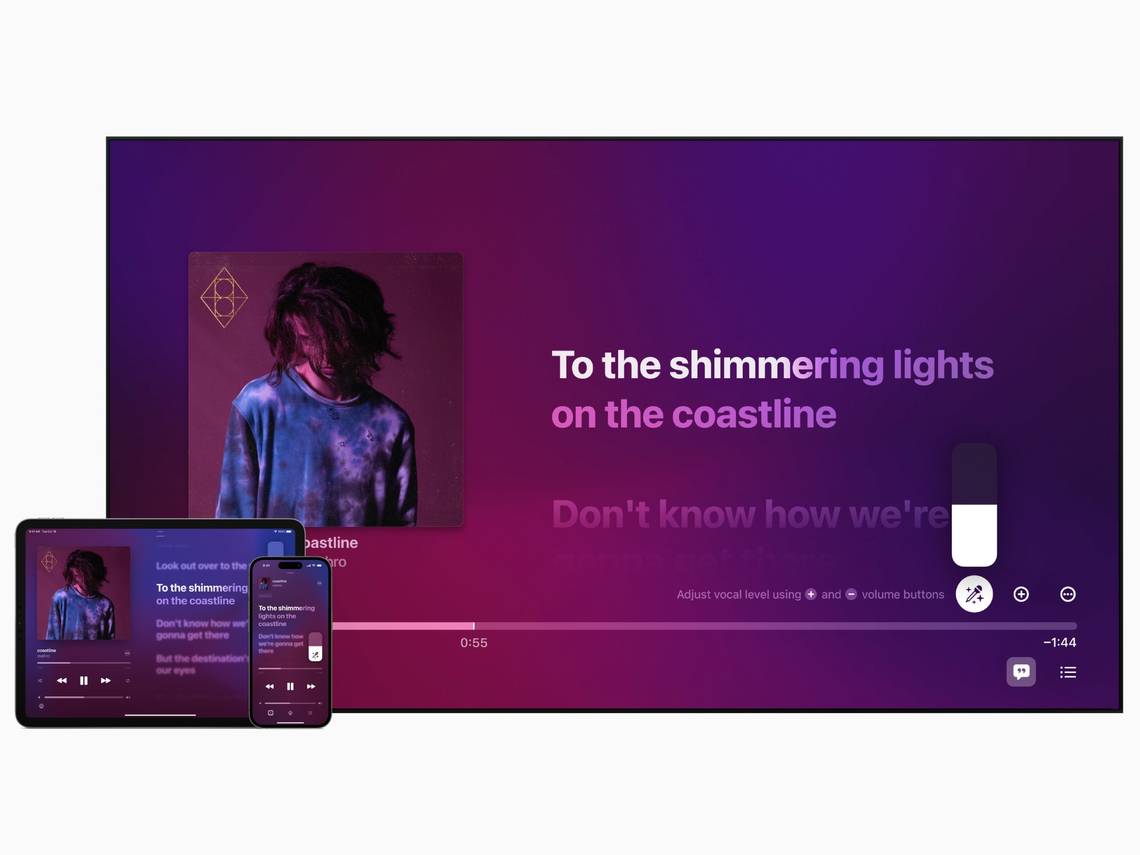
With the release of iOS 16.2, Apple introduced several new features. While the advanced data protection of iCloud backups got the most attention, Apple Music Sing is one of the extras many people didn’t ask for, but it can be a fun experience, especially if you enjoy karaoke. No doubt about it. Here’s what this feature has to offer and how to use it.
What is Apple Music Sing?
Apple Music Sing lets you sing along to most Apple Music songs. Real-time lyrics and vocal volume can be adjusted. In effect, whether you’re a lead or backing singer, you have access to a vast catalog of music that allows you to take any position in a song. You can also duet with friends and family.
Visually, Apple Music Sing displays different styles of animated lyrics for main and backing vocals, so you know exactly when to sing.
there is also duet opinion If a song has multiple artists. Lines are displayed on both sides of the screen, making it easy to decide who will sing which line.
While in use, Apple Music doesn’t completely remove vocals from songs, it just lowers the volume significantly. Also turn off Dolby Atmos.
Who Can Use Apple Music Sing?
Now, to use Apple Music Sing, there are some prerequisites. First, you need a compatible Apple Music subscription (student, individual, or family plan). The cheapest $5 Voice Plan doesn’t support Apple Music Sing.

Then you need a compatible device. Apple Music Sing is available on iPhone, iPad, and Apple TV, but not all models are supported. Below is the exact list.
- iPhone 11 or later and iPhone SE (3rd generation) with the latest iOS version.
- iPad Pro 11-inch (3rd generation or later), iPad Pro 12.9-inch (5th generation or later), iPad Air (4th generation or later), iPad mini (6th generation or later), and iPad (9th generation or later). and later) running the latest he iPadOS version.
- Apple TV 4K (3rd generation) running the latest tvOS version.
How to use Apple Music Sing?
To start using Apple Music Sing, you need to use the Music app on your iPhone, iPad, or Apple TV. Once opened, follow these steps to use the features:
- Select a song from your library and start playing.
- Then tap lyrics Button — indicated by double quotes in a text box — in the lower left corner.
- Then tap microphone icon Click on the right side of the screen (above the song progress bar) to enable Apple Music Sing. You can also use this slider instead of the buttons to increase or decrease vocal volume.
Apple Music Sing remains active until you exit the application. If you want to listen to music, you can tap the microphone icon to disable the feature.
Apple Music Sing brings a fun new home karaoke experience
Apple Music Sing is a fun new addition to Apple devices. no one expected it. For those who love to sing, it’s an easy way to access many songs, and it should help you create wonderful memories.
If you’re interested in trying out this feature, follow the steps above. And don’t forget to try our Apple-curated playlists.
