











The Tecno Phantom X2 Pro is one of the most memorable phones in recent memory thanks to its unique retractable telephoto/portrait lens. We were wondering what the phone looks like inside and luckily. PBK Review showed us his latest teardown video.
Remove the SIM tray, apply heat to the back, and then remove the plastic back cover. Removing a total of 17 screws frees up the camera for a close-up of the telephoto module (1:15 mark in the video). Unclipping a few more cables frees up the mainboard for a closer look at the three rear-facing cameras, proximity sensor, and LED flash. The back side houses the chipset, RAM and storage.
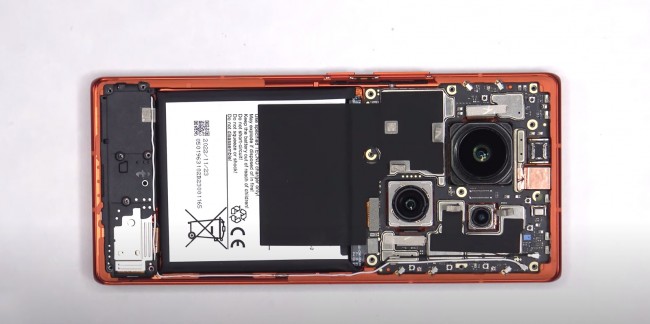
Tecno Phantom X2 Pro Teardown
The battery does not have a pull tab, so the host must apply a few drops of isopropyl alcohol around the cell to melt the adhesive.The video shows the speaker assembly at the bottom. The Phantom X2 Pro received a total repairability score of 4.5/10.
To learn more about the features of the Phantom X2 Pro, read our in-depth review here.
