











In case you didn’t know, Google recently rolled out an interesting new update to Gboard. You can now change the Android keyboard layout to create your own version of his Gboard. This can be done by customizing a small “tile” within Gboard. The small voice input microphone button cannot be moved, but all other positions can be changed. Interested in the process? To customize your Gboard tiles, you need to:
How to customize your Gboard tiles
1. Start typing anywhere Open Gboard on your phone.
2. Tap . tile icon on the G board.
3. Hold the shortcut and drag to reorder.

4. You can change the order of the tiles or replace the tiles with options in the tray below.
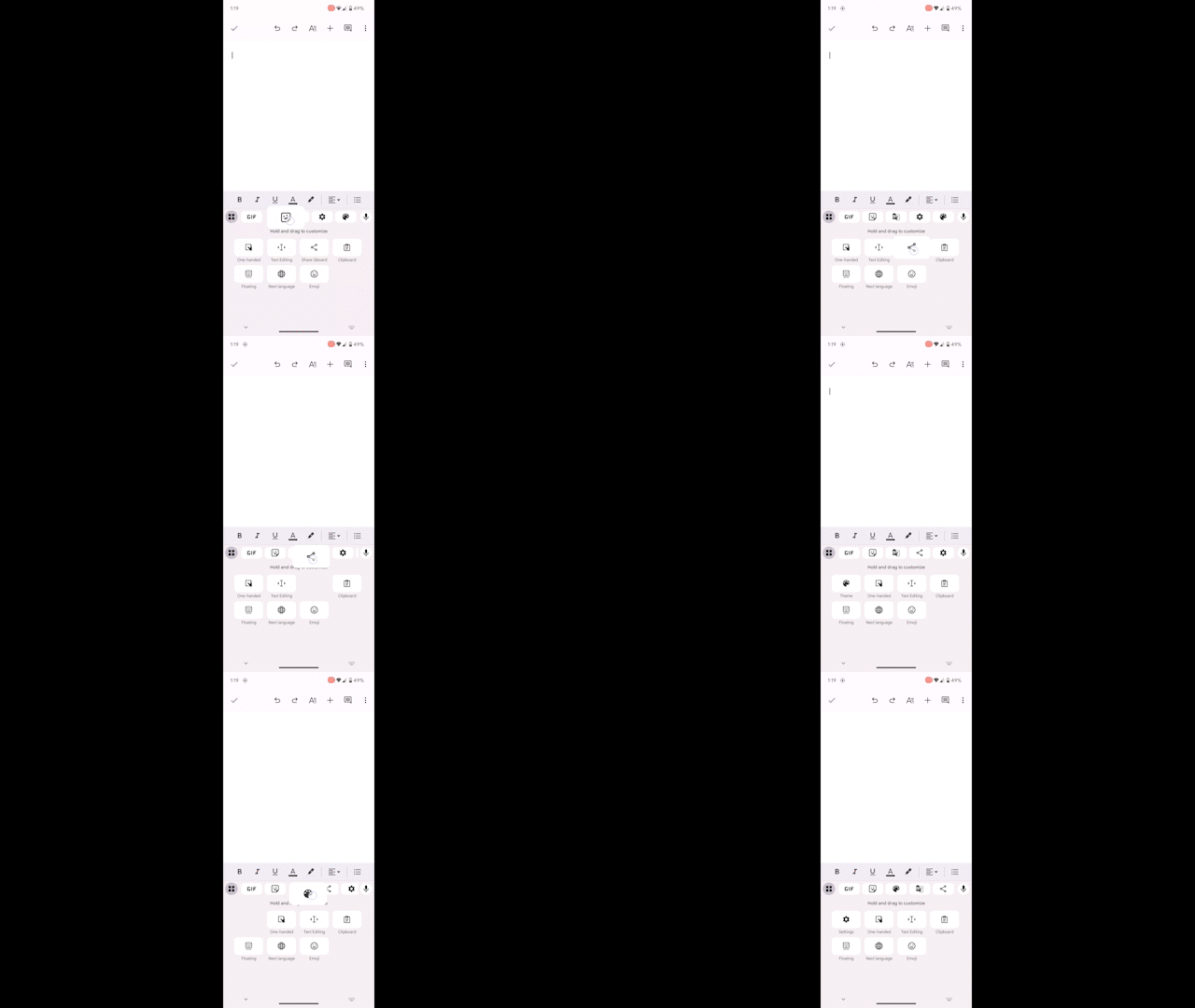
5. Once you are satisfied with the layout of Gbaord, tile icon or down arrow you save.
Changing the layout of Gboard is very easy. Also, customizing the tiles and saving your preferred arrangement takes no time at all. You can move tiles such as Google Translate and theme buttons to display whatever you want. When you’re satisfied, simply swipe back to commit the changes.
Gboard stands in a league of its own
Gbaord is an amazing Android keyboard like no other. No other keyboard app is as comprehensive and intelligent as this one. There are clever and useful features like the clipboard and a small Google Translate widget built into the keyboard in the form of tiles.
Other tiles include buttons for accessing settings, languages, GIFs, emojis, themes, stickers, text editor, one-handed mode, and Gboard’s floating mode. You can also use the share button to share Google’s beloved Android keyboard app with others.
All these little tools and options have a lot to love. Even emojis are exciting because they can be combined to create your own mashups in Gboard Emoji Kitchen. It’s a lot of fun to experiment with different combinations and send when the timing is right.

Dynamic themes and more!
Enjoy Android dynamic themes on your affordable Google Pixel 6a. Not only can you customize the color scheme and wallpaper, but app icons and other elements of the UI, such as Gboard, all automatically adjust the theme. The pure Android experience has never been better.
