












Samsung Galaxy Watch Ultra
Premium and powerful
The Galaxy Watch Ultra is a rugged Android smartwatch that’s perfect for outdoor enthusiasts and athletes. It features a sturdy titanium case, a handy Quick Button, and runs the latest Wear OS 5.
For
- Titanium case for extra durability
- Runs the newest Wear OS 5
- Customizable Quick Button
- Improved hardware
- Dual-frequency GPS
Against
- Comes with just 2GB of RAM
- Only one size

Samsung Galaxy Watch 6 Classic
Stylish and reliable
The Galaxy Watch 6 Classic is a stunning Android smartwatch that’s ideal for just about everyone. It has a thoughtful design, a great screen, and a rotating bezel with amazing tactile feedback.
For
- Understated and elegant design
- Rotating bezel for navigation
- Super-fast charging
- Beautiful display
- Two sizes available
Against
- Dated hardware
- Average battery life
Samsung’s newest smartwatches — the Galaxy Watch Ultra and the Galaxy Watch 7 — are finally here. Although the two wearables share quite a few similarities when it comes to core hardware specifications, the Galaxy Watch Ultra packs in some extra bells and whistles as well. It’s also Samsung’s most premium smartwatch to date and marks the beginning of a new category in the company’s lineup of wearables.
That said, the Galaxy Watch Ultra is, technically, still a successor and an upgrade to the Galaxy Watch 6 Classic. But just how big of an upgrade it is? More importantly, if you already have the Galaxy Watch 6 Classic, should you even care? Let’s compare the Galaxy Watch Ultra vs. Galaxy Watch 6 Classic and see how they stack up against each other!
Samsung Galaxy Watch Ultra vs. Galaxy Watch 6 Classic: Design, display, and hardware
Debuting with a new, squircle-shaped case, the Galaxy Watch Ultra visually stands out from the majority of the best Android smartwatches out there. The ‘cushion design’ (as Samsung calls it) draws inspiration from some of the most recognizable cushion case wristwatches (such as the Panerai Radiomir), while the case itself is now made of titanium. You also get a new ‘Dynamic Lug System’ that lets you jazz up the look of the smartwatch using some of the best Galaxy Watch Ultra bands, all with little to no effort. In comparison, the Galaxy Watch 6 Classic has a more traditional-looking, rounded case made from stainless steel.
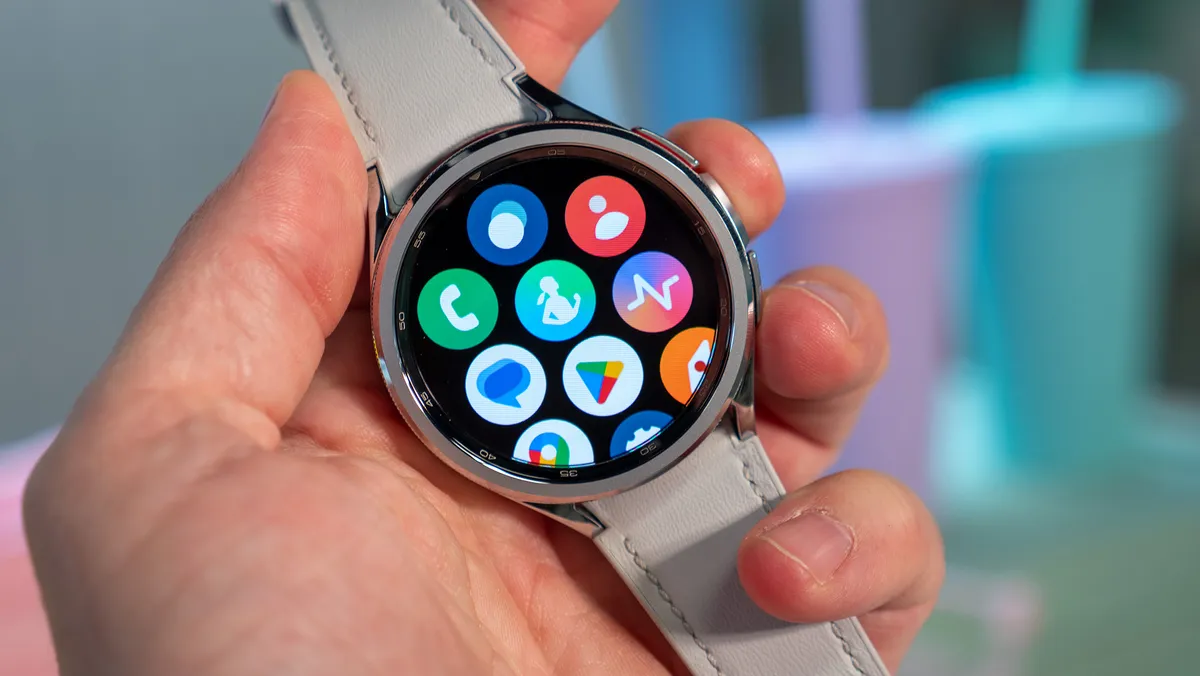
Instead of a digital crown, the Galaxy Watch Ultra comes with a new action button on the side that can be used to start/pause workouts, manage lap timings, and even sound off an emergency alarm. The Orange ‘Quick Button’ is flanked by ‘Home’ and ‘Back’ buttons on each side for navigation. The Galaxy Watch 6 Classic also features two buttons on the side but even more importantly, it comes with the rotating bezel that has been a defining characteristic of Samsung’s smartwatches over the past few years. It’s also worth noting that while the Galaxy Watch Ultra only comes in one size (47mm), the Galaxy Watch 6 Classic is available in two sizes (43mm and 47mm).
The Galaxy Watch Ultra’s 1.47-inch screen is a tad smaller than the Galaxy Watch 6 Classic’s 1.5-inch display (for the 47mm version), but they’re both circular Super AMOLED panels with a resolution of 480×480 pixels and Sapphire Crystal protection. Both smartwatches are IP68-certified and comply with the MIL-STD-810H standard, but the Galaxy Watch Ultra is much more suited for adventure lovers, having twice the water resistance of the Galaxy Watch 6 Classic.

Powering the Galaxy Watch Ultra is the Exynos W1000 SoC, which has a penta-core processor built on the 3nm process node. Conversely, the Galaxy Watch 6 Classic sports the Exynos W930 chipset, which features a dual-core processor built on the 5nm process node. Although both smartwatches have 2GB of RAM, the use of newer and more efficient hardware should give the Galaxy Watch Ultra a significant performance boost over the Galaxy Watch 6 Classic. The Galaxy Watch Ultra also includes twice the storage of the Galaxy Watch 6 Classic, giving you more space for all your apps and data.
| Header Cell – Column 0 | Samsung Galaxy Watch Ultra | Samsung Galaxy Watch 6 Classic |
|---|---|---|
| Dimensions | 47.1 x 47.4 x 12.1 mm | 42.5 x 42.5 x 10.9 mm (43mm version) | 46.5 x 46.5 x 10.9 mm (47mm version) |
| Display(s) | 1.47-inch Super AMOLED, 480×480 pixels resolution | 1.3-inch Super AMOLED, 432×432 pixels resolution (43mm version) | 1.5-inch Super AMOLED, 480×480 pixels resolution (47mm version) |
| Durability & Case Material(s) | Titanium & Sapphire Crystal, 10ATM water resistance, IP68 & MIL-STD-810H certification | Stainless Steel & Sapphire Crystal, 5ATM water resistance, IP68 & MIL-STD-810H certification |
| Weight | 60.5g | 52g (43mm version) | 59g (47mm version) |
| Chipset / SoC | Exynos W1000 (penta-core processor, 3nm process node) | Exynos W930 (dual-core processor, 5nm process node) |
| RAM & Storage | 2GB & 32GB | 2GB & 16GB |
| Navigation & Physical Controls | Quick Button, Home & Back Buttons, and Touchscreen | Rotating Bezel, Home & Back Buttons, and Touchscreen |
| Sensors | Optical Bio-Signal Sensor, Electrical Heart Signal Sensor, Bioelectrical Impedance Analysis Sensor, Temperature Sensor, Accelerometer, Barometer, Gyro Sensor, Geomagnetic Sensor, and Light Sensor | Optical Heart Rate Sensor, Electrical Heart Signal Sensor, Bioelectrical Impedance Analysis Sensor, Temperature Sensor, Accelerometer, Barometer, Gyro Sensor, Geomagnetic Sensor, Light Sensor, and Hall Sensor |
| Wireless Connectivity | Wi-Fi (dual-band), Bluetooth 5.3, LTE, GPS (dual-band), and NFC | Wi-Fi (dual-band), Bluetooth 5.3, LTE (optional), GPS, and NFC |
| Battery & Charging | 590mAh, fast-charging | 300mAh (43mm version) & 425mAh (47mm version), fast-charging |
| OS / Smartphone Compatibility | Wear OS 5 / Android 11 or above | Wear OS 4 / Android 8 or above |
Samsung Galaxy Watch Ultra vs. Galaxy Watch 6 Classic: Health and fitness features
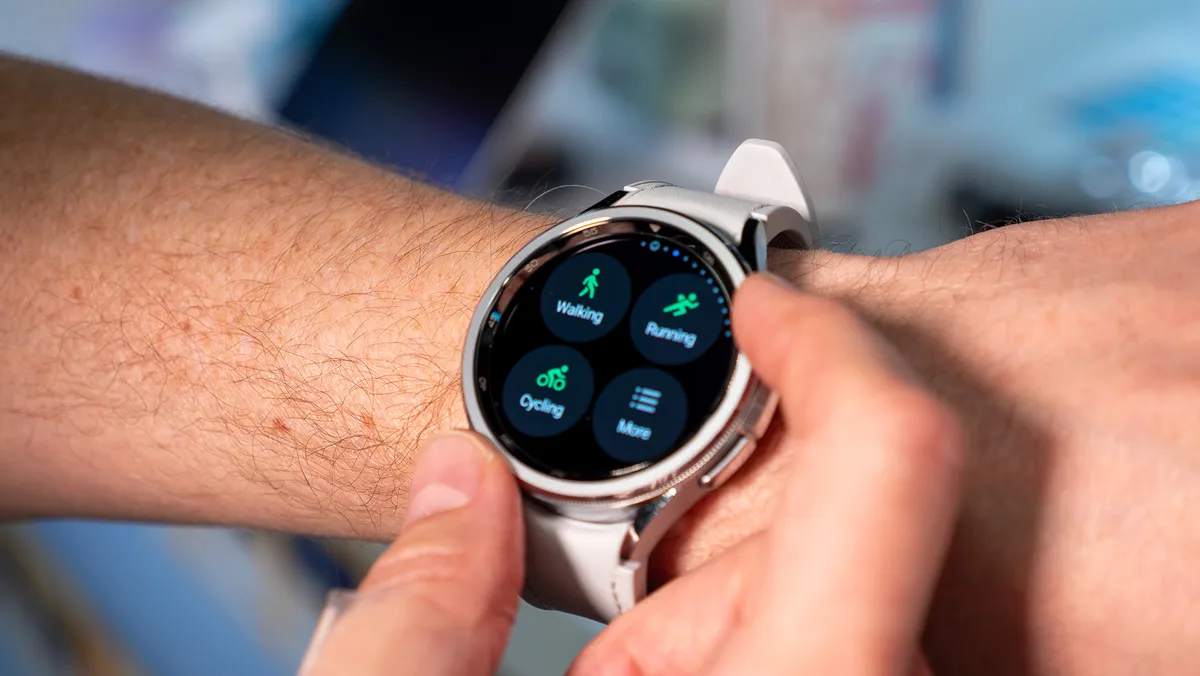
The Galaxy Watch 6 Classic already does a fantastic job of tracking all your fitness-related metrics, but the Galaxy Watch Ultra really takes things to the next level. Both smartwatches have a laundry list of sensors (e.g., Bioelectrical Impedance Analysis, Electrical Heart Signal, and Temperature) that collect information about your body’s various health-related parameters, which are then analyzed and turned into actionable insights that you can view in the Samsung Health app. Apart from that, both wearables can detect a plethora of workouts automatically and log all kinds of data (e.g., distance covered, calories burned) to help you stay at the top of your game.

However, the Galaxy Watch Ultra has been designed to be the perfect companion for long-distance runners, cyclists, and other athletes involved in endurance sports. The smartwatch supports one-touch multisport tracking and comes with a new ‘Functional Threshold Power’ test that lets you hit your peak cycling performance, although you do need a power meter paired with a Samsung smartphone for it to work. Combine all that with goodies like the new Race feature (which lets you track your current pace against previous records), and the Galaxy Watch Ultra might just end up being one of the best fitness smartwatches of the year.
Samsung Galaxy Watch Ultra vs. Galaxy Watch 6 Classic: Software, other features, and battery life
The Galaxy Watch Ultra runs Wear OS 5, the latest version of Google’s wearable-focused software platform. Introduced at Google I/O 2024, Wear OS 5 primarily focuses on battery life improvements and under-the-hood optimizations. That being said, Samsung’s flavor of Wear OS 5 comes overlaid with One UI 6 Watch and has quite a few features of its own, with ‘Galaxy AI’ arguably being the biggest highlight.
Yep, you read that right! After smartphones, Galaxy AI has now made its way to Samsung’s smartwatches as well. It analyzes all the key wellness metrics gathered by the Galaxy Watch Ultra and uses that information to build your daily ‘Energy Score’. You can use this score to get a better idea about your overall fitness and if needed, make the necessary changes. The Galaxy Watch Ultra also lets you respond to friends and family from your wrist, using Galaxy AI to come up with suggested quick replies that match the tone of your conversations. Galaxy AI will eventually come to the Galaxy Watch 6 Classic too when it gets Wear OS 5, but the experience is likely to be a bit different.

Both smartwatches have all the essentials when it comes to connectivity, including dual-band Wi-Fi, Bluetooth, and NFC for contactless payments. However, while you can get the Galaxy Watch 6 Classic without LTE as well, the Galaxy Watch Ultra is only available with LTE. Since the Galaxy Watch Ultra is aimed at outdoor enthusiasts, it also features a much wider operating temperature range. And with dual-frequency GPS for better accuracy, the Galaxy Watch Ultra is much better poised to go against the best GPS smartwatches and fitness trackers out there.
Now let’s talk about battery life. The Galaxy Watch 6 Classic has a 425mAh battery (for the 47mm version), which Android Central’s Michael Hicks found to be barely enough for a full day of use. If you use features like GPS tracking and automatic workout detection regularly, you’ll most likely need to charge the watch more than once a day. On the other hand, the Galaxy Watch Ultra comes with a 590mAh battery that’s among the biggest that Samsung has put in a watch, matching up with that of the Galaxy 5 Pro. The company’s claim of up to 100 hours of endurance (with Power Saving mode) seems a bit far-fetched but given the power-efficient hardware, we’re hopeful of getting some good numbers when we put the Galaxy Watch Ultra through its paces.

Samsung Galaxy Watch Ultra vs. Galaxy Watch 6 Classic: Should you upgrade?
The Galaxy Watch Ultra is unlike any other smartwatch that Samsung has ever made. It’s extremely durable, has a variety of features that make it perfect for athletes and adventure junkies, and a unique (even if somewhat polarizing) design. The hardware is also quite powerful, and you’re getting the latest version of Wear OS 5 out of the box. Then there’s the Galaxy Watch 6 Classic, which continues to be a well-rounded wearable that’s ideal for just about anyone, despite being nearly a year old at this point. Without a doubt, these are two of the best Android smartwatches currently available in the market. But if you already have the Galaxy Watch 6 Classic, should you really consider upgrading to the Galaxy Watch Ultra?
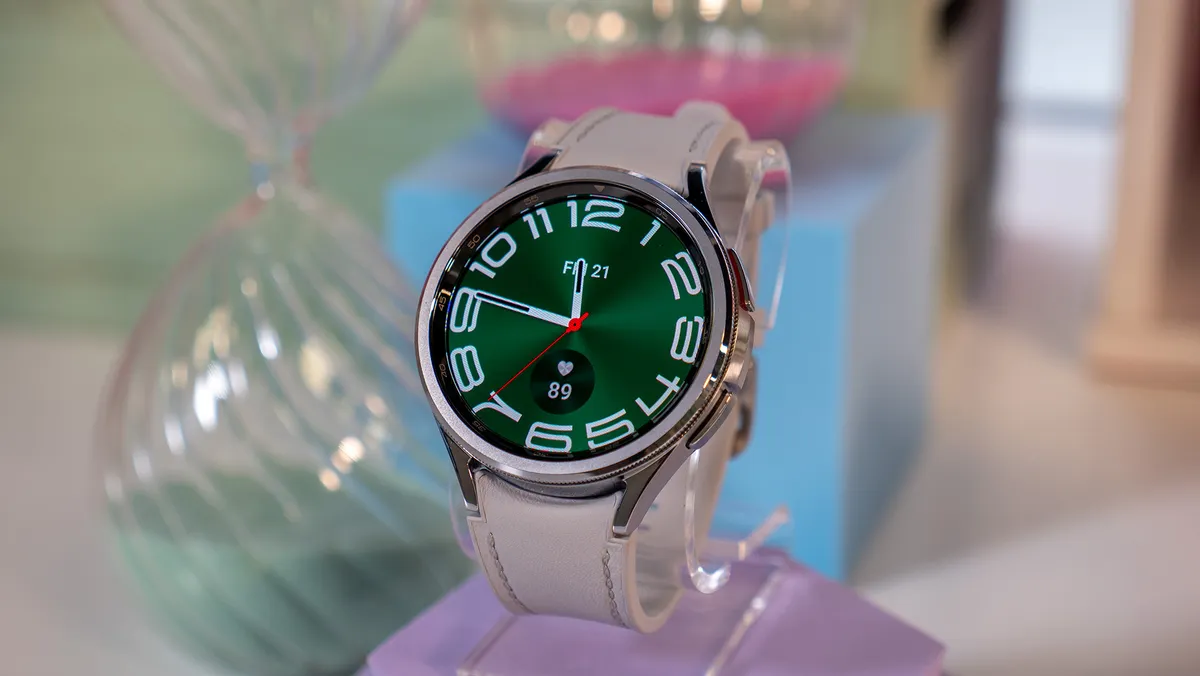
Well, it depends on the kind of smartwatch user you are. Do you love endurance sports? Are you someone who’s always looking for a new trail to hike? If the answer to those questions is yes, the Galaxy Watch Ultra is probably going to be a worthy upgrade for you. Sure, the price is a little steep, but you’ll be getting a top-of-the-line smartwatch packed with the best hardware and software.
On the contrary, if your smartwatch use just involves things like contactless payments and staying on top of your notifications, and you also like to track your workouts and keep tabs on your overall fitness, keep the Galaxy Watch 6 Classic. It’s still a very capable and stylish wearable that’ll continue to serve you well for quite a while. Moreover, since it has a standard lug design compatible with quick-release bands, you’ll have a lot of bands (both official and third-party) to pick from as well.
Samsung Galaxy Watch Ultra
King of the hill
The Galaxy Watch Ultra is a smartwatch designed for those who love adventures and outdoor sports. It has a new design, faster hardware, and dual-frequency GPS.
Samsung Galaxy Watch 6 Classic
Still has it all
The Galaxy Watch 6 Classic offers everything one could possibly need in a smartwatch. It has a clean design, an amazing display, and of course, the iconic rotating bezel.
